About Mockup - UI/UX Design
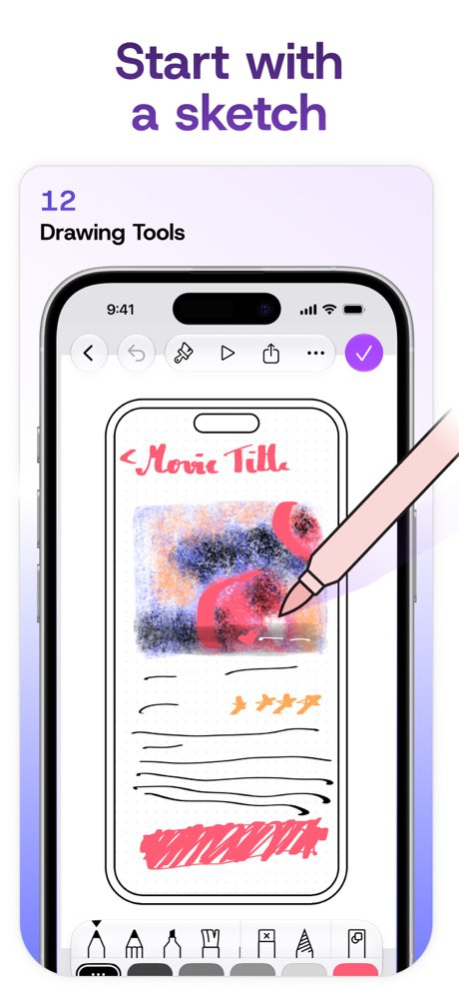
Mockup helps you sketch, wireframe, and prototype apps and websites across iPad, iPhone, and Mac. Built specifically for UI/UX design and Apple Pencil, Mockup combines a flexible canvas with reusable UI elements and...
Mockup helps you sketch, wireframe, and prototype apps and websites across iPad, iPhone, and Mac. Built specifically for UI/UX design and Apple Pencil, Mockup combines a flexible canvas with reusable UI elements and interactive prototypes in one seamless workflow. Featured by Apple and recognized as App of the Day, Mockup is trusted by 500,000+ designers, developers, and product teams worldwide to sketch and wireframe interfaces faster. Design interfaces for mobile, tablet, desktop, watch, TV, and the web. - Sketch naturally with Apple Pencil using versatile drawing tools and a complete color palette. - Work with 45+ device frames in portrait and landscape. - Draw perfect shapes with Shape Detection and Snap to Grid for cleaner layouts. - Write and edit text directly on the canvas using Scribble. - Customize grids, frames, and backgrounds to match your workflow. Build Better Wireframes - Use ready-to-use UI elements or create, save, and reuse your own custom element sets. - Add text, images, shapes, and over 4,000 SF Symbols. - Save reusable text styles for a consistent design system. - Drag and drop text or images directly from other apps. Prototype User Flows - Connect screens to create interactive flows. - Preview prototypes in full-screen mode. - Validate navigation and user experience before development. Export, Share & Continue Anywhere - Export high-quality PDF and PNG files. - Share Mockup files with other users. - Collaborate in real time using SharePlay. - Sync sketches and projects across iPad, iPhone, and Mac with iCloud. - Access recent sketches and preview your work from Home Screen widgets. Optimized for Apple Pencil & iPad - Use Apple Pencil Hover to preview and switch drawing tools with greater precision and control. - Use Apple Pencil Pro squeeze to access canvas controls, adjust tools, select objects, or undo and redo actions. - Enjoy a desktop-class experience with external keyboard and trackpad support. - Work across multiple windows for greater productivity. Start creating for free with unlimited sketches and projects, or unlock the complete Mockup experience with Mockup Studio. Mockup Studio includes: - All device frames - Interactive prototypes - Unlimited custom element sets - Exclusive UI elements - Shape Detection - 4,000+ customizable SF Symbols - Watermark-free PDF export - PNG export - Nested projects - Priority support Terms of Service: https://apprime.studio/terms-of-service/ Privacy Policy: https://apprime.studio/privacy-policy/
Version History Design for the newest iPhones Create designs for iPhone Duo’s outer and inner displays, plus iPhone 18 Pro and iPhone 18 Pro Max. A new collection of Duo interface elements helps you explore layouts made for foldable experiences. Also new in 4.4: Mockup 4.4 brings a more adaptive design experience to iPhone and iPad, with a redesigned Library, new Apple Intelligence capabilities, and deeper integration with iOS 27. Designed Around You Mockup now adapts its interface and tools to your screen, orientation, and window size. Design in landscape on iPhone, reposition or hide drawing tools, and resize Mockup on your Mac with iPhone Mirroring. An All-New Library Access your Library from its own dedicated sidebar on the left, with a completely redesigned experience for finding and adding elements, shapes, symbols, text, and images. Smarter Element Naming Save custom elements with smarter name suggestions powered by Apple Intelligence. Create with Image Playground Generate images with Image Playground and add them directly to your designs or use them as image fills. Siri & Shortcuts Create, open, update, and search your designs with expanded support for Siri and Shortcuts. Update to Mockup 4.4 and enjoy a more flexible and connected way to design. We'd love to hear your feedback. 4.5.1 Sep 30 Design for the newest iPhones Create designs for iPhone Duo’s outer and inner displays, plus iPhone 18 Pro and iPhone 18 Pro Max. A new collection of Duo interface elements helps you explore layouts made for foldable experiences. Also new in 4.4: Mockup 4.4 brings a more adaptive design experience to iPhone and iPad, with a redesigned Library, new Apple Intelligence capabilities, and deeper integration with iOS 27. Designed Around You Mockup now adapts its interface and tools to your screen, orientation, and window size. Design in landscape on iPhone, reposition or hide drawing tools, and resize Mockup on your Mac with iPhone Mirroring. An All-New Library Access your Library from its own dedicated sidebar on the left, with a completely redesigned experience for finding and adding elements, shapes, symbols, text, and images. Smarter Element Naming Save custom elements with smarter name suggestions powered by Apple Intelligence. Create with Image Playground Generate images with Image Playground and add them directly to your designs or use them as image fills. Siri & Shortcuts Create, open, update, and search your designs with expanded support for Siri and Shortcuts. Update to Mockup 4.4 and enjoy a more flexible and connected way to design. We'd love to hear your feedback. 4.5 Sep 25 This minor update contains bug fixes and improvements. v 4.4: Mockup 4.4 brings a more adaptive design experience to iPhone and iPad, with a redesigned Library, new Apple Intelligence capabilities, and deeper integration with iOS 27. Designed Around You Mockup now adapts its interface and tools to your screen, orientation, and window size. Design in landscape on iPhone, reposition or hide drawing tools, and resize Mockup on your Mac with iPhone Mirroring. An All-New Library Access your Library from its own dedicated sidebar on the left, with a completely redesigned experience for finding and adding elements, shapes, symbols, text, and images. Smarter Element Naming Save custom elements with smarter name suggestions powered by Apple Intelligence. Create with Image Playground Generate images with Image Playground and add them directly to your designs or use them as image fills. Siri & Shortcuts Create, open, update, and search your designs with expanded support for Siri and Shortcuts. Update to Mockup 4.4 and enjoy a more flexible and connected way to design. We'd love to hear your feedback. 4.4.2 Sep 19 This minor update contains bug fixes and improvements. v 4.4: Mockup 4.4 brings a more adaptive design experience to iPhone and iPad, with a redesigned Library, new Apple Intelligence capabilities, and deeper integration with iOS 27. Designed Around You Mockup now adapts its interface and tools to your screen, orientation, and window size. Design in landscape on iPhone, reposition or hide drawing tools, and resize Mockup on your Mac with iPhone Mirroring. An All-New Library Access your Library from its own dedicated sidebar on the left, with a completely redesigned experience for finding and adding elements, shapes, symbols, text, and images. Smarter Element Naming Save custom elements with smarter name suggestions powered by Apple Intelligence. Create with Image Playground Generate images with Image Playground and add them directly to your designs or use them as image fills. Siri & Shortcuts Create, open, update, and search your designs with expanded support for Siri and Shortcuts. Update to Mockup 4.4 and enjoy a more flexible and connected way to design. We'd love to hear your feedback. 4.4.1 Sep 16 Mockup 4.4 brings a more adaptive design experience to iPhone and iPad, with a redesigned Library, new Apple Intelligence capabilities, and deeper integration with iOS 27. Designed Around You Mockup now adapts its interface and tools to your screen, orientation, and window size. Design in landscape on iPhone, reposition or hide drawing tools, and resize Mockup on your Mac with iPhone Mirroring. An All-New Library Access your Library from its own dedicated sidebar on the left, with a completely redesigned experience for finding and adding elements, shapes, symbols, text, and images. Smarter Element Naming Save custom elements with smarter name suggestions powered by Apple Intelligence. Create with Image Playground Generate images with Image Playground and add them directly to your designs or use them as image fills. Siri & Shortcuts Create, open, update, and search your designs with expanded support for Siri and Shortcuts. Update to Mockup 4.4 and enjoy a more flexible and connected way to design. We'd love to hear your feedback. 4.4 Sep 12 This update brings minor improvements and bug fixes. v 4.3: Move faster from idea to implementation in Mockup 4.3 with SwiftUI code snippets and improvements to reusable elements. - SwiftUI Code Snippets: Get SwiftUI code for supported iOS 26 elements and move faster from wireframe to implementation. - Improved Add to Library: Save reusable elements more easily with a redesigned Add to Library experience and smarter naming suggestions powered by Apple Intelligence. Update now and enjoy a smoother workflow for creating and reusing your UI elements. We’d love to hear your feedback. 4.3.2 Aug 24 This update brings minor improvements and bug fixes. v 4.3: Move faster from idea to implementation in Mockup 4.3 with SwiftUI code snippets and improvements to reusable elements. - SwiftUI Code Snippets: Get SwiftUI code for supported iOS 26 elements and move faster from wireframe to implementation. - Improved Add to Library: Save reusable elements more easily with a redesigned Add to Library experience and smarter naming suggestions powered by Apple Intelligence. Update now and enjoy a smoother workflow for creating and reusing your UI elements. We’d love to hear your feedback. 4.3.1 Jul 11 Move faster from idea to implementation in Mockup 4.3 with SwiftUI code snippets and improvements to reusable elements. - SwiftUI Code Snippets: Get SwiftUI code for supported iOS 26 elements and move faster from wireframe to implementation. - Improved Add to Library: Save reusable elements more easily with a redesigned Add to Library experience and smarter naming suggestions powered by Apple Intelligence. Update now and enjoy a smoother workflow for creating and reusing your UI elements. We’d love to hear your feedback. 4.3 Jun 5 Design with full control over your typography in Mockup 4.2: custom fonts and a smoother text editing experience. - Custom Fonts: Use your own installed fonts directly in Mockup and design with the exact typography your projects need. - Smoother Text Editing: Write, resize, and adjust text with a more responsive experience that keeps your layouts clean and balanced. Update now and enjoy a more flexible, natural way to design with text. We’d love to hear your feedback. 4.2.1 May 8 Design with full control over your typography in Mockup 4.2: custom fonts and a smoother text editing experience. - Custom Fonts: Use your own installed fonts directly in Mockup and design with the exact typography your projects need. - Smoother Text Editing: Write, resize, and adjust text with a more responsive experience that keeps your layouts clean and balanced. Update now and enjoy a more flexible, natural way to design with text. We’d love to hear your feedback. 4.2 Apr 24 ُThis update brings bug fixes and minor improvements. v 4.1: Design for iOS 26 faster with Mockup 4.1: new Liquid Glass elements, expanded style options, object alignment, and more. - Liquid Glass Elements: Create iOS 26 & iPadOS 26 interfaces with new ready-to-use Liquid Glass elements in the Library. - Shape Style Options: Add depth and dimension to your shapes with Glass Effect, Gradient Fill, and Shadow. - Layout Guides: Align, balance, and structure your objects with guides now supporting custom rows and columns. - Object Alignment: Position objects with precision. Snap objects to one another or align items inside frames or groups. Update now and enjoy a version of Mockup that keeps up with the way you design. We’d love to hear your feedback. 4.1.4 Apr 6 Design for iOS 26 faster with Mockup 4.1: new Liquid Glass elements, expanded style options, object alignment, and more. - Liquid Glass Elements: Create iOS 26 & iPadOS 26 interfaces with new ready-to-use Liquid Glass elements in the Library. - Shape Style Options: Add depth and dimension to your shapes with Glass Effect, Gradient Fill, and Shadow. - Layout Guides: Align, balance, and structure your objects with guides now supporting custom rows and columns. - Object Alignment: Position objects with precision. Snap objects to one another or align items inside frames or groups. Update now and enjoy a version of Mockup that keeps up with the way you design. We’d love to hear your feedback. 4.1.3 Feb 20 Design for iOS 26 faster with Mockup 4.1: new Liquid Glass elements, expanded style options, object alignment, and more. - Liquid Glass Elements: Create iOS 26 & iPadOS 26 interfaces with new ready-to-use Liquid Glass elements in the Library. - Shape Style Options: Add depth and dimension to your shapes with Glass Effect, Gradient Fill, and Shadow. - Layout Guides: Align, balance, and structure your objects with guides now supporting custom rows and columns. - Object Alignment: Position objects with precision. Snap objects to one another or align items inside frames or groups. Update now and enjoy a version of Mockup that keeps up with the way you design. We’d love to hear your feedback. 4.1.2 Feb 3 Design for iOS 26 faster with Mockup 4.1: new Liquid Glass elements, expanded style options, object alignment, and more. - Liquid Glass Elements: Create iOS 26 & iPadOS 26 interfaces with new ready-to-use Liquid Glass elements in the Library. - Shape Style Options: Add depth and dimension to your shapes with Glass Effect, Gradient Fill, and Shadow. - Layout Guides: Align, balance, and structure your objects with guides now supporting custom rows and columns. - Object Alignment: Position objects with precision. Snap objects to one another or align items inside frames or groups. Update now and enjoy a version of Mockup that keeps up with the way you design. We’d love to hear your feedback. 4.1.1 Jan 19 Design for iOS 26 faster with Mockup 4.1: new Liquid Glass elements, expanded style options, object alignment, and more. - Liquid Glass Elements: Create iOS 26 & iPadOS 26 interfaces with new ready-to-use Liquid Glass elements in the Library. - Shape Style Options: Add depth and dimension to your shapes with Glass Effect, Gradient Fill, and Shadow. - Layout Guides: Align, balance, and structure your objects with guides now supporting custom rows and columns. - Object Alignment: Position objects with precision. Snap objects to one another or align items inside frames or groups. Update now and enjoy a version of Mockup that keeps up with the way you design. We’d love to hear your feedback. 4.1 Jan 12 Mockup 4.0 is ready for iOS 26 with Liquid Glass, a redesigned Home Screen, filled frames, and new ways to organize and view your designs. - Liquid Glass UI & New Icon: Experience Mockup’s new design featuring Liquid Glass, with a refreshed icon and a cleaner, layered interface. - Redesigned Home Screen: Navigate your projects and sketches faster with the intuitive sidebar for Recents, Browse, Projects, Sketches, and Recently Deleted. - View, Sort & Select Mode: Find and organize your designs faster with flexible Grid/List views, expanded sort options, and smoother multi-select. - Filled Frames: Showcase your wireframes in bold filled frames that give your designs extra presence. - iPadOS Multitasking: Open multiple Mockup windows at once and work on your sketches side by side. - iPadOS Menu bar: Access key Mockup commands right from the menu bar without breaking your flow. Update today to design in a workspace reimagined for iOS 26 and let us know what you think! 4.0.6 11/20/2025 Mockup 4.0 is ready for iOS 26 with Liquid Glass, a redesigned Home Screen, filled frames, and new ways to organize and view your designs. - Liquid Glass UI & New Icon: Experience Mockup’s new design featuring Liquid Glass, with a refreshed icon and a cleaner, layered interface. - Redesigned Home Screen: Navigate your projects and sketches faster with the intuitive sidebar for Recents, Browse, Projects, Sketches, and Recently Deleted. - View, Sort & Select Mode: Find and organize your designs faster with flexible Grid/List views, expanded sort options, and smoother multi-select. - Filled Frames: Showcase your wireframes in bold filled frames that give your designs extra presence. - iPadOS Multitasking: Open multiple Mockup windows at once and work on your sketches side by side. - iPadOS Menu bar: Access key Mockup commands right from the menu bar without breaking your flow. Update today to design in a workspace reimagined for iOS 26 and let us know what you think! 4.0.5 11/12/2025 Mockup 4.0 is ready for iOS 26 with Liquid Glass, a redesigned Home Screen, filled frames, and new ways to organize and view your designs. - Liquid Glass UI & New Icon: Experience Mockup’s new design featuring Liquid Glass, with a refreshed icon and a cleaner, layered interface. - Redesigned Home Screen: Navigate your projects and sketches faster with the intuitive sidebar for Recents, Browse, Projects, Sketches, and Recently Deleted. - View, Sort & Select Mode: Find and organize your designs faster with flexible Grid/List views, expanded sort options, and smoother multi-select. - Filled Frames: Showcase your wireframes in bold filled frames that give your designs extra presence. - iPadOS Multitasking: Open multiple Mockup windows at once and work on your sketches side by side. - iPadOS Menu bar: Access key Mockup commands right from the menu bar without breaking your flow. Update today to design in a workspace reimagined for iOS 26 and let us know what you think! 4.0.4 10/29/2025 Mockup 4.0 is ready for iOS 26 with Liquid Glass, a redesigned Home Screen, filled frames, and new ways to organize and view your designs. - Liquid Glass UI & New Icon: Experience Mockup’s new design featuring Liquid Glass, with a refreshed icon and a cleaner, layered interface. - Redesigned Home Screen: Navigate your projects and sketches faster with the intuitive sidebar for Recents, Browse, Projects, Sketches, and Recently Deleted. - View, Sort & Select Mode: Find and organize your designs faster with flexible Grid/List views, expanded sort options, and smoother multi-select. - Filled Frames: Showcase your wireframes in bold filled frames that give your designs extra presence. - iPadOS Multitasking: Open multiple Mockup windows at once and work on your sketches side by side. - iPadOS Menu bar: Access key Mockup commands right from the menu bar without breaking your flow. Update today to design in a workspace reimagined for iOS 26 and let us know what you think! 4.0.3 10/09/2025 Mockup 4.0 is ready for iOS 26 with Liquid Glass, a redesigned Home Screen, filled frames, and new ways to organize and view your designs. - Liquid Glass UI & New Icon: Experience Mockup’s new design featuring Liquid Glass, with a refreshed icon and a cleaner, layered interface. - Redesigned Home Screen: Navigate your projects and sketches faster with the intuitive sidebar for Recents, Browse, Projects, Sketches, and Recently Deleted. - View, Sort & Select Mode: Find and organize your designs faster with flexible Grid/List views, expanded sort options, and smoother multi-select. - Filled Frames: Showcase your wireframes in bold filled frames that give your designs extra presence. - iPadOS Multitasking: Open multiple Mockup windows at once and work on your sketches side by side. - iPadOS Menu bar: Access key Mockup commands right from the menu bar without breaking your flow. Update today to design in a workspace reimagined for iOS 26 and let us know what you think! 4.0.2 10/01/2025 Mockup 4.0 is ready for iOS 26 with Liquid Glass, a redesigned Home Screen, filled frames, and new ways to organize and view your designs. - Liquid Glass UI & New Icon: Experience Mockup’s new design featuring Liquid Glass, with a refreshed icon and a cleaner, layered interface. - Redesigned Home Screen: Navigate your projects and sketches faster with the intuitive sidebar for Recents, Browse, Projects, Sketches, and Recently Deleted. - View, Sort & Select Mode: Find and organize your designs faster with flexible Grid/List views, expanded sort options, and smoother multi-select. - Filled Frames: Showcase your wireframes in bold filled frames that give your designs extra presence. - iPadOS Multitasking: Open multiple Mockup windows at once and work on your sketches side by side. - iPadOS Menu bar: Access key Mockup commands right from the menu bar without breaking your flow. Update today to design in a workspace reimagined for iOS 26 and let us know what you think! 4.0.1 09/17/2025 Mockup 4.0 is ready for iOS 26 with Liquid Glass, a redesigned Home Screen, filled frames, and new ways to organize and view your designs. - Liquid Glass UI & New Icon: Experience Mockup’s new design featuring Liquid Glass, with a refreshed icon and a cleaner, layered interface. - Redesigned Home Screen: Navigate your projects and sketches faster with the intuitive sidebar for Recents, Browse, Projects, Sketches, and Recently Deleted. - View, Sort & Select Mode: Find and organize your designs faster with flexible Grid/List views, expanded sort options, and smoother multi-select. - Filled Frames: Showcase your wireframes in bold filled frames that give your designs extra presence. - iPadOS Multitasking: Open multiple Mockup windows at once and work on your sketches side by side. - iPadOS Menu bar: Access key Mockup commands right from the menu bar without breaking your flow. Update today to design in a workspace reimagined for iOS 26 and let us know what you think! 4.0 09/14/2025 Mockup 3.16 helps you dive in faster—with the new demo project and improvements that make the whole experience sharper. - Demo Project: Explore what you can do with Mockup with the new demo project, packed with example sketches. - Improvements and Fixes: Enjoy a more refined experience with minor bug fixes and interface polish. Update now and discover what's new! We'd love to hear your feedback. 3.16.1 08/02/2025 Mockup 3.16 helps you dive in faster—with the new demo project and improvements that make the whole experience sharper. - Demo Project: Explore what you can do with Mockup with the new demo project, packed with example sketches. - Improvements and Fixes: Enjoy a more refined experience with minor bug fixes and interface polish. Update now and discover what's new! We'd love to hear your feedback. 3.16 08/01/2025 This update brings bug fixes and improvements. v 3.15: Mockup is now faster, more personal, and available in your language—with new localization, default tool preferences, and quicker prototype previews. - Language Support: Use Mockup in Arabic, French, Spanish, German, Brazilian Portuguese, Japanese, or Simplified Chinese—everything feels native, from your first sketch to your final preview. - Set Default Tool: Choose your go-to tool—drawing or lasso—and it’s ready to use the moment you open a new sketch. - Faster Prototype Previews: Experience noticeably quicker prototype previews with improved responsiveness. Try the latest version and let us know what you think! 3.15.2 07/16/2025
Previous Versions
Here you can find the changelog of Mockup - UI/UX Design since it was posted on our website on 2021-12-14 13:15:49.
The latest version is 4.5.1 and it was updated on 2026-10-07 23:01:34. See below the changes in each version.
Mockup - UI/UX Design version 4.5.1
Updated At: 2026-10-07
Changes: Version History Design for the newest iPhones
Create designs for iPhone Duo’s outer and inner displays, plus iPhone 18 Pro and iPhone 18 Pro Max. A new collection of Duo interface elements helps you explore layouts made for foldable experiences.
Also new in 4.4:
Mockup 4.4 brings a more adaptive design experience to iPhone and iPad, with a redesigned Library, new Apple Intelligence capabilities, and deeper integration with iOS 27.
Designed Around You
Mockup now adapts its interface and tools to your screen, orientation, and window size. Design in landscape on iPhone, reposition or hide drawing tools, and resize Mockup on your Mac with iPhone Mirroring.
An All-New Library
Access your Library from its own dedicated sidebar on the left, with a completely redesigned experience for finding and adding elements, shapes, symbols, text, and images.
Smarter Element Naming
Save custom elements with smarter name suggestions powered by Apple Intelligence.
Create with Image Playground
Generate images with Image Playground and add them directly to your designs or use them as image fills.
Siri & Shortcuts
Create, open, update, and search your designs with expanded support for Siri and Shortcuts.
Update to Mockup 4.4 and enjoy a more flexible and connected way to design. We'd love to hear your feedback. 4.5.1 Sep 30 Design for the newest iPhones
Create designs for iPhone Duo’s outer and inner displays, plus iPhone 18 Pro and iPhone 18 Pro Max. A new collection of Duo interface elements helps you explore layouts made for foldable experiences.
Also new in 4.4:
Mockup 4.4 brings a more adaptive design experience to iPhone and iPad, with a redesigned Library, new Apple Intelligence capabilities, and deeper integration with iOS 27.
Designed Around You
Mockup now adapts its interface and tools to your screen, orientation, and window size. Design in landscape on iPhone, reposition or hide drawing tools, and resize Mockup on your Mac with iPhone Mirroring.
An All-New Library
Access your Library from its own dedicated sidebar on the left, with a completely redesigned experience for finding and adding elements, shapes, symbols, text, and images.
Smarter Element Naming
Save custom elements with smarter name suggestions powered by Apple Intelligence.
Create with Image Playground
Generate images with Image Playground and add them directly to your designs or use them as image fills.
Siri & Shortcuts
Create, open, update, and search your designs with expanded support for Siri and Shortcuts.
Update to Mockup 4.4 and enjoy a more flexible and connected way to design. We'd love to hear your feedback. 4.5 Sep 25 This minor update contains bug fixes and improvements.
v 4.4:
Mockup 4.4 brings a more adaptive design experience to iPhone and iPad, with a redesigned Library, new Apple Intelligence capabilities, and deeper integration with iOS 27.
Designed Around You
Mockup now adapts its interface and tools to your screen, orientation, and window size. Design in landscape on iPhone, reposition or hide drawing tools, and resize Mockup on your Mac with iPhone Mirroring.
An All-New Library
Access your Library from its own dedicated sidebar on the left, with a completely redesigned experience for finding and adding elements, shapes, symbols, text, and images.
Smarter Element Naming
Save custom elements with smarter name suggestions powered by Apple Intelligence.
Create with Image Playground
Generate images with Image Playground and add them directly to your designs or use them as image fills.
Siri & Shortcuts
Create, open, update, and search your designs with expanded support for Siri and Shortcuts.
Update to Mockup 4.4 and enjoy a more flexible and connected way to design. We'd love to hear your feedback. 4.4.2 Sep 19 This minor update contains bug fixes and improvements.
v 4.4:
Mockup 4.4 brings a more adaptive design experience to iPhone and iPad, with a redesigned Library, new Apple Intelligence capabilities, and deeper integration with iOS 27.
Designed Around You
Mockup now adapts its interface and tools to your screen, orientation, and window size. Design in landscape on iPhone, reposition or hide drawing tools, and resize Mockup on your Mac with iPhone Mirroring.
An All-New Library
Access your Library from its own dedicated sidebar on the left, with a completely redesigned experience for finding and adding elements, shapes, symbols, text, and images.
Smarter Element Naming
Save custom elements with smarter name suggestions powered by Apple Intelligence.
Create with Image Playground
Generate images with Image Playground and add them directly to your designs or use them as image fills.
Siri & Shortcuts
Create, open, update, and search your designs with expanded support for Siri and Shortcuts.
Update to Mockup 4.4 and enjoy a more flexible and connected way to design. We'd love to hear your feedback. 4.4.1 Sep 16 Mockup 4.4 brings a more adaptive design experience to iPhone and iPad, with a redesigned Library, new Apple Intelligence capabilities, and deeper integration with iOS 27.
Designed Around You
Mockup now adapts its interface and tools to your screen, orientation, and window size. Design in landscape on iPhone, reposition or hide drawing tools, and resize Mockup on your Mac with iPhone Mirroring.
An All-New Library
Access your Library from its own dedicated sidebar on the left, with a completely redesigned experience for finding and adding elements, shapes, symbols, text, and images.
Smarter Element Naming
Save custom elements with smarter name suggestions powered by Apple Intelligence.
Create with Image Playground
Generate images with Image Playground and add them directly to your designs or use them as image fills.
Siri & Shortcuts
Create, open, update, and search your designs with expanded support for Siri and Shortcuts.
Update to Mockup 4.4 and enjoy a more flexible and connected way to design. We'd love to hear your feedback. 4.4 Sep 12 This update brings minor improvements and bug fixes.
v 4.3:
Move faster from idea to implementation in Mockup 4.3 with SwiftUI code snippets and improvements to reusable elements.
- SwiftUI Code Snippets: Get SwiftUI code for supported iOS 26 elements and move faster from wireframe to implementation.
- Improved Add to Library: Save reusable elements more easily with a redesigned Add to Library experience and smarter naming suggestions powered by Apple Intelligence.
Update now and enjoy a smoother workflow for creating and reusing your UI elements. We’d love to hear your feedback. 4.3.2 Aug 24 This update brings minor improvements and bug fixes.
v 4.3:
Move faster from idea to implementation in Mockup 4.3 with SwiftUI code snippets and improvements to reusable elements.
- SwiftUI Code Snippets: Get SwiftUI code for supported iOS 26 elements and move faster from wireframe to implementation.
- Improved Add to Library: Save reusable elements more easily with a redesigned Add to Library experience and smarter naming suggestions powered by Apple Intelligence.
Update now and enjoy a smoother workflow for creating and reusing your UI elements. We’d love to hear your feedback. 4.3.1 Jul 11 Move faster from idea to implementation in Mockup 4.3 with SwiftUI code snippets and improvements to reusable elements.
- SwiftUI Code Snippets: Get SwiftUI code for supported iOS 26 elements and move faster from wireframe to implementation.
- Improved Add to Library: Save reusable elements more easily with a redesigned Add to Library experience and smarter naming suggestions powered by Apple Intelligence.
Update now and enjoy a smoother workflow for creating and reusing your UI elements. We’d love to hear your feedback. 4.3 Jun 5 Design with full control over your typography in Mockup 4.2: custom fonts and a smoother text editing experience.
- Custom Fonts: Use your own installed fonts directly in Mockup and design with the exact typography your projects need.
- Smoother Text Editing: Write, resize, and adjust text with a more responsive experience that keeps your layouts clean and balanced.
Update now and enjoy a more flexible, natural way to design with text. We’d love to hear your feedback. 4.2.1 May 8 Design with full control over your typography in Mockup 4.2: custom fonts and a smoother text editing experience.
- Custom Fonts: Use your own installed fonts directly in Mockup and design with the exact typography your projects need.
- Smoother Text Editing: Write, resize, and adjust text with a more responsive experience that keeps your layouts clean and balanced.
Update now and enjoy a more flexible, natural way to design with text. We’d love to hear your feedback. 4.2 Apr 24 ُThis update brings bug fixes and minor improvements.
v 4.1:
Design for iOS 26 faster with Mockup 4.1: new Liquid Glass elements, expanded style options, object alignment, and more.
- Liquid Glass Elements: Create iOS 26 & iPadOS 26 interfaces with new ready-to-use Liquid Glass elements in the Library.
- Shape Style Options: Add depth and dimension to your shapes with Glass Effect, Gradient Fill, and Shadow.
- Layout Guides: Align, balance, and structure your objects with guides now supporting custom rows and columns.
- Object Alignment: Position objects with precision. Snap objects to one another or align items inside frames or groups.
Update now and enjoy a version of Mockup that keeps up with the way you design. We’d love to hear your feedback. 4.1.4 Apr 6 Design for iOS 26 faster with Mockup 4.1: new Liquid Glass elements, expanded style options, object alignment, and more.
- Liquid Glass Elements: Create iOS 26 & iPadOS 26 interfaces with new ready-to-use Liquid Glass elements in the Library.
- Shape Style Options: Add depth and dimension to your shapes with Glass Effect, Gradient Fill, and Shadow.
- Layout Guides: Align, balance, and structure your objects with guides now supporting custom rows and columns.
- Object Alignment: Position objects with precision. Snap objects to one another or align items inside frames or groups.
Update now and enjoy a version of Mockup that keeps up with the way you design. We’d love to hear your feedback. 4.1.3 Feb 20 Design for iOS 26 faster with Mockup 4.1: new Liquid Glass elements, expanded style options, object alignment, and more.
- Liquid Glass Elements: Create iOS 26 & iPadOS 26 interfaces with new ready-to-use Liquid Glass elements in the Library.
- Shape Style Options: Add depth and dimension to your shapes with Glass Effect, Gradient Fill, and Shadow.
- Layout Guides: Align, balance, and structure your objects with guides now supporting custom rows and columns.
- Object Alignment: Position objects with precision. Snap objects to one another or align items inside frames or groups.
Update now and enjoy a version of Mockup that keeps up with the way you design. We’d love to hear your feedback. 4.1.2 Feb 3 Design for iOS 26 faster with Mockup 4.1: new Liquid Glass elements, expanded style options, object alignment, and more.
- Liquid Glass Elements: Create iOS 26 & iPadOS 26 interfaces with new ready-to-use Liquid Glass elements in the Library.
- Shape Style Options: Add depth and dimension to your shapes with Glass Effect, Gradient Fill, and Shadow.
- Layout Guides: Align, balance, and structure your objects with guides now supporting custom rows and columns.
- Object Alignment: Position objects with precision. Snap objects to one another or align items inside frames or groups.
Update now and enjoy a version of Mockup that keeps up with the way you design. We’d love to hear your feedback. 4.1.1 Jan 19 Design for iOS 26 faster with Mockup 4.1: new Liquid Glass elements, expanded style options, object alignment, and more.
- Liquid Glass Elements: Create iOS 26 & iPadOS 26 interfaces with new ready-to-use Liquid Glass elements in the Library.
- Shape Style Options: Add depth and dimension to your shapes with Glass Effect, Gradient Fill, and Shadow.
- Layout Guides: Align, balance, and structure your objects with guides now supporting custom rows and columns.
- Object Alignment: Position objects with precision. Snap objects to one another or align items inside frames or groups.
Update now and enjoy a version of Mockup that keeps up with the way you design. We’d love to hear your feedback. 4.1 Jan 12 Mockup 4.0 is ready for iOS 26 with Liquid Glass, a redesigned Home Screen, filled frames, and new ways to organize and view your designs.
- Liquid Glass UI & New Icon: Experience Mockup’s new design featuring Liquid Glass, with a refreshed icon and a cleaner, layered interface.
- Redesigned Home Screen: Navigate your projects and sketches faster with the intuitive sidebar for Recents, Browse, Projects, Sketches, and Recently Deleted.
- View, Sort & Select Mode: Find and organize your designs faster with flexible Grid/List views, expanded sort options, and smoother multi-select.
- Filled Frames: Showcase your wireframes in bold filled frames that give your designs extra presence.
- iPadOS Multitasking: Open multiple Mockup windows at once and work on your sketches side by side.
- iPadOS Menu bar: Access key Mockup commands right from the menu bar without breaking your flow.
Update today to design in a workspace reimagined for iOS 26 and let us know what you think! 4.0.6 11/20/2025 Mockup 4.0 is ready for iOS 26 with Liquid Glass, a redesigned Home Screen, filled frames, and new ways to organize and view your designs.
- Liquid Glass UI & New Icon: Experience Mockup’s new design featuring Liquid Glass, with a refreshed icon and a cleaner, layered interface.
- Redesigned Home Screen: Navigate your projects and sketches faster with the intuitive sidebar for Recents, Browse, Projects, Sketches, and Recently Deleted.
- View, Sort & Select Mode: Find and organize your designs faster with flexible Grid/List views, expanded sort options, and smoother multi-select.
- Filled Frames: Showcase your wireframes in bold filled frames that give your designs extra presence.
- iPadOS Multitasking: Open multiple Mockup windows at once and work on your sketches side by side.
- iPadOS Menu bar: Access key Mockup commands right from the menu bar without breaking your flow.
Update today to design in a workspace reimagined for iOS 26 and let us know what you think! 4.0.5 11/12/2025 Mockup 4.0 is ready for iOS 26 with Liquid Glass, a redesigned Home Screen, filled frames, and new ways to organize and view your designs.
- Liquid Glass UI & New Icon: Experience Mockup’s new design featuring Liquid Glass, with a refreshed icon and a cleaner, layered interface.
- Redesigned Home Screen: Navigate your projects and sketches faster with the intuitive sidebar for Recents, Browse, Projects, Sketches, and Recently Deleted.
- View, Sort & Select Mode: Find and organize your designs faster with flexible Grid/List views, expanded sort options, and smoother multi-select.
- Filled Frames: Showcase your wireframes in bold filled frames that give your designs extra presence.
- iPadOS Multitasking: Open multiple Mockup windows at once and work on your sketches side by side.
- iPadOS Menu bar: Access key Mockup commands right from the menu bar without breaking your flow.
Update today to design in a workspace reimagined for iOS 26 and let us know what you think! 4.0.4 10/29/2025 Mockup 4.0 is ready for iOS 26 with Liquid Glass, a redesigned Home Screen, filled frames, and new ways to organize and view your designs.
- Liquid Glass UI & New Icon: Experience Mockup’s new design featuring Liquid Glass, with a refreshed icon and a cleaner, layered interface.
- Redesigned Home Screen: Navigate your projects and sketches faster with the intuitive sidebar for Recents, Browse, Projects, Sketches, and Recently Deleted.
- View, Sort & Select Mode: Find and organize your designs faster with flexible Grid/List views, expanded sort options, and smoother multi-select.
- Filled Frames: Showcase your wireframes in bold filled frames that give your designs extra presence.
- iPadOS Multitasking: Open multiple Mockup windows at once and work on your sketches side by side.
- iPadOS Menu bar: Access key Mockup commands right from the menu bar without breaking your flow.
Update today to design in a workspace reimagined for iOS 26 and let us know what you think! 4.0.3 10/09/2025 Mockup 4.0 is ready for iOS 26 with Liquid Glass, a redesigned Home Screen, filled frames, and new ways to organize and view your designs.
- Liquid Glass UI & New Icon: Experience Mockup’s new design featuring Liquid Glass, with a refreshed icon and a cleaner, layered interface.
- Redesigned Home Screen: Navigate your projects and sketches faster with the intuitive sidebar for Recents, Browse, Projects, Sketches, and Recently Deleted.
- View, Sort & Select Mode: Find and organize your designs faster with flexible Grid/List views, expanded sort options, and smoother multi-select.
- Filled Frames: Showcase your wireframes in bold filled frames that give your designs extra presence.
- iPadOS Multitasking: Open multiple Mockup windows at once and work on your sketches side by side.
- iPadOS Menu bar: Access key Mockup commands right from the menu bar without breaking your flow.
Update today to design in a workspace reimagined for iOS 26 and let us know what you think! 4.0.2 10/01/2025 Mockup 4.0 is ready for iOS 26 with Liquid Glass, a redesigned Home Screen, filled frames, and new ways to organize and view your designs.
- Liquid Glass UI & New Icon: Experience Mockup’s new design featuring Liquid Glass, with a refreshed icon and a cleaner, layered interface.
- Redesigned Home Screen: Navigate your projects and sketches faster with the intuitive sidebar for Recents, Browse, Projects, Sketches, and Recently Deleted.
- View, Sort & Select Mode: Find and organize your designs faster with flexible Grid/List views, expanded sort options, and smoother multi-select.
- Filled Frames: Showcase your wireframes in bold filled frames that give your designs extra presence.
- iPadOS Multitasking: Open multiple Mockup windows at once and work on your sketches side by side.
- iPadOS Menu bar: Access key Mockup commands right from the menu bar without breaking your flow.
Update today to design in a workspace reimagined for iOS 26 and let us know what you think! 4.0.1 09/17/2025 Mockup 4.0 is ready for iOS 26 with Liquid Glass, a redesigned Home Screen, filled frames, and new ways to organize and view your designs.
- Liquid Glass UI & New Icon: Experience Mockup’s new design featuring Liquid Glass, with a refreshed icon and a cleaner, layered interface.
- Redesigned Home Screen: Navigate your projects and sketches faster with the intuitive sidebar for Recents, Browse, Projects, Sketches, and Recently Deleted.
- View, Sort & Select Mode: Find and organize your designs faster with flexible Grid/List views, expanded sort options, and smoother multi-select.
- Filled Frames: Showcase your wireframes in bold filled frames that give your designs extra presence.
- iPadOS Multitasking: Open multiple Mockup windows at once and work on your sketches side by side.
- iPadOS Menu bar: Access key Mockup commands right from the menu bar without breaking your flow.
Update today to design in a workspace reimagined for iOS 26 and let us know what you think! 4.0 09/14/2025 Mockup 3.16 helps you dive in faster—with the new demo project and improvements that make the whole experience sharper.
- Demo Project: Explore what you can do with Mockup with the new demo project, packed with example sketches.
- Improvements and Fixes: Enjoy a more refined experience with minor bug fixes and interface polish.
Update now and discover what's new! We'd love to hear your feedback. 3.16.1 08/02/2025 Mockup 3.16 helps you dive in faster—with the new demo project and improvements that make the whole experience sharper.
- Demo Project: Explore what you can do with Mockup with the new demo project, packed with example sketches.
- Improvements and Fixes: Enjoy a more refined experience with minor bug fixes and interface polish.
Update now and discover what's new! We'd love to hear your feedback. 3.16 08/01/2025 This update brings bug fixes and improvements.
v 3.15:
Mockup is now faster, more personal, and available in your language—with new localization, default tool preferences, and quicker prototype previews.
- Language Support: Use Mockup in Arabic, French, Spanish, German, Brazilian Portuguese, Japanese, or Simplified Chinese—everything feels native, from your first sketch to your final preview.
- Set Default Tool: Choose your go-to tool—drawing or lasso—and it’s ready to use the moment you open a new sketch.
- Faster Prototype Previews: Experience noticeably quicker prototype previews with improved responsiveness.
Try the latest version and let us know what you think! 3.15.2 07/16/2025
Mockup - UI/UX Design version 4.5.1
Updated At: 2026-10-03
Changes: Version History Design for the newest iPhones
Create designs for iPhone Duo’s outer and inner displays, plus iPhone 18 Pro and iPhone 18 Pro Max. A new collection of Duo interface elements helps you explore layouts made for foldable experiences.
Also new in 4.4:
Mockup 4.4 brings a more adaptive design experience to iPhone and iPad, with a redesigned Library, new Apple Intelligence capabilities, and deeper integration with iOS 27.
Designed Around You
Mockup now adapts its interface and tools to your screen, orientation, and window size. Design in landscape on iPhone, reposition or hide drawing tools, and resize Mockup on your Mac with iPhone Mirroring.
An All-New Library
Access your Library from its own dedicated sidebar on the left, with a completely redesigned experience for finding and adding elements, shapes, symbols, text, and images.
Smarter Element Naming
Save custom elements with smarter name suggestions powered by Apple Intelligence.
Create with Image Playground
Generate images with Image Playground and add them directly to your designs or use them as image fills.
Siri & Shortcuts
Create, open, update, and search your designs with expanded support for Siri and Shortcuts.
Update to Mockup 4.4 and enjoy a more flexible and connected way to design. We'd love to hear your feedback. 4.5.1 2d ago Design for the newest iPhones
Create designs for iPhone Duo’s outer and inner displays, plus iPhone 18 Pro and iPhone 18 Pro Max. A new collection of Duo interface elements helps you explore layouts made for foldable experiences.
Also new in 4.4:
Mockup 4.4 brings a more adaptive design experience to iPhone and iPad, with a redesigned Library, new Apple Intelligence capabilities, and deeper integration with iOS 27.
Designed Around You
Mockup now adapts its interface and tools to your screen, orientation, and window size. Design in landscape on iPhone, reposition or hide drawing tools, and resize Mockup on your Mac with iPhone Mirroring.
An All-New Library
Access your Library from its own dedicated sidebar on the left, with a completely redesigned experience for finding and adding elements, shapes, symbols, text, and images.
Smarter Element Naming
Save custom elements with smarter name suggestions powered by Apple Intelligence.
Create with Image Playground
Generate images with Image Playground and add them directly to your designs or use them as image fills.
Siri & Shortcuts
Create, open, update, and search your designs with expanded support for Siri and Shortcuts.
Update to Mockup 4.4 and enjoy a more flexible and connected way to design. We'd love to hear your feedback. 4.5 Sep 25 This minor update contains bug fixes and improvements.
v 4.4:
Mockup 4.4 brings a more adaptive design experience to iPhone and iPad, with a redesigned Library, new Apple Intelligence capabilities, and deeper integration with iOS 27.
Designed Around You
Mockup now adapts its interface and tools to your screen, orientation, and window size. Design in landscape on iPhone, reposition or hide drawing tools, and resize Mockup on your Mac with iPhone Mirroring.
An All-New Library
Access your Library from its own dedicated sidebar on the left, with a completely redesigned experience for finding and adding elements, shapes, symbols, text, and images.
Smarter Element Naming
Save custom elements with smarter name suggestions powered by Apple Intelligence.
Create with Image Playground
Generate images with Image Playground and add them directly to your designs or use them as image fills.
Siri & Shortcuts
Create, open, update, and search your designs with expanded support for Siri and Shortcuts.
Update to Mockup 4.4 and enjoy a more flexible and connected way to design. We'd love to hear your feedback. 4.4.2 Sep 19 This minor update contains bug fixes and improvements.
v 4.4:
Mockup 4.4 brings a more adaptive design experience to iPhone and iPad, with a redesigned Library, new Apple Intelligence capabilities, and deeper integration with iOS 27.
Designed Around You
Mockup now adapts its interface and tools to your screen, orientation, and window size. Design in landscape on iPhone, reposition or hide drawing tools, and resize Mockup on your Mac with iPhone Mirroring.
An All-New Library
Access your Library from its own dedicated sidebar on the left, with a completely redesigned experience for finding and adding elements, shapes, symbols, text, and images.
Smarter Element Naming
Save custom elements with smarter name suggestions powered by Apple Intelligence.
Create with Image Playground
Generate images with Image Playground and add them directly to your designs or use them as image fills.
Siri & Shortcuts
Create, open, update, and search your designs with expanded support for Siri and Shortcuts.
Update to Mockup 4.4 and enjoy a more flexible and connected way to design. We'd love to hear your feedback. 4.4.1 Sep 16 Mockup 4.4 brings a more adaptive design experience to iPhone and iPad, with a redesigned Library, new Apple Intelligence capabilities, and deeper integration with iOS 27.
Designed Around You
Mockup now adapts its interface and tools to your screen, orientation, and window size. Design in landscape on iPhone, reposition or hide drawing tools, and resize Mockup on your Mac with iPhone Mirroring.
An All-New Library
Access your Library from its own dedicated sidebar on the left, with a completely redesigned experience for finding and adding elements, shapes, symbols, text, and images.
Smarter Element Naming
Save custom elements with smarter name suggestions powered by Apple Intelligence.
Create with Image Playground
Generate images with Image Playground and add them directly to your designs or use them as image fills.
Siri & Shortcuts
Create, open, update, and search your designs with expanded support for Siri and Shortcuts.
Update to Mockup 4.4 and enjoy a more flexible and connected way to design. We'd love to hear your feedback. 4.4 Sep 12 This update brings minor improvements and bug fixes.
v 4.3:
Move faster from idea to implementation in Mockup 4.3 with SwiftUI code snippets and improvements to reusable elements.
- SwiftUI Code Snippets: Get SwiftUI code for supported iOS 26 elements and move faster from wireframe to implementation.
- Improved Add to Library: Save reusable elements more easily with a redesigned Add to Library experience and smarter naming suggestions powered by Apple Intelligence.
Update now and enjoy a smoother workflow for creating and reusing your UI elements. We’d love to hear your feedback. 4.3.2 Aug 24 This update brings minor improvements and bug fixes.
v 4.3:
Move faster from idea to implementation in Mockup 4.3 with SwiftUI code snippets and improvements to reusable elements.
- SwiftUI Code Snippets: Get SwiftUI code for supported iOS 26 elements and move faster from wireframe to implementation.
- Improved Add to Library: Save reusable elements more easily with a redesigned Add to Library experience and smarter naming suggestions powered by Apple Intelligence.
Update now and enjoy a smoother workflow for creating and reusing your UI elements. We’d love to hear your feedback. 4.3.1 Jul 11 Move faster from idea to implementation in Mockup 4.3 with SwiftUI code snippets and improvements to reusable elements.
- SwiftUI Code Snippets: Get SwiftUI code for supported iOS 26 elements and move faster from wireframe to implementation.
- Improved Add to Library: Save reusable elements more easily with a redesigned Add to Library experience and smarter naming suggestions powered by Apple Intelligence.
Update now and enjoy a smoother workflow for creating and reusing your UI elements. We’d love to hear your feedback. 4.3 Jun 5 Design with full control over your typography in Mockup 4.2: custom fonts and a smoother text editing experience.
- Custom Fonts: Use your own installed fonts directly in Mockup and design with the exact typography your projects need.
- Smoother Text Editing: Write, resize, and adjust text with a more responsive experience that keeps your layouts clean and balanced.
Update now and enjoy a more flexible, natural way to design with text. We’d love to hear your feedback. 4.2.1 May 8 Design with full control over your typography in Mockup 4.2: custom fonts and a smoother text editing experience.
- Custom Fonts: Use your own installed fonts directly in Mockup and design with the exact typography your projects need.
- Smoother Text Editing: Write, resize, and adjust text with a more responsive experience that keeps your layouts clean and balanced.
Update now and enjoy a more flexible, natural way to design with text. We’d love to hear your feedback. 4.2 Apr 24 ُThis update brings bug fixes and minor improvements.
v 4.1:
Design for iOS 26 faster with Mockup 4.1: new Liquid Glass elements, expanded style options, object alignment, and more.
- Liquid Glass Elements: Create iOS 26 & iPadOS 26 interfaces with new ready-to-use Liquid Glass elements in the Library.
- Shape Style Options: Add depth and dimension to your shapes with Glass Effect, Gradient Fill, and Shadow.
- Layout Guides: Align, balance, and structure your objects with guides now supporting custom rows and columns.
- Object Alignment: Position objects with precision. Snap objects to one another or align items inside frames or groups.
Update now and enjoy a version of Mockup that keeps up with the way you design. We’d love to hear your feedback. 4.1.4 Apr 6 Design for iOS 26 faster with Mockup 4.1: new Liquid Glass elements, expanded style options, object alignment, and more.
- Liquid Glass Elements: Create iOS 26 & iPadOS 26 interfaces with new ready-to-use Liquid Glass elements in the Library.
- Shape Style Options: Add depth and dimension to your shapes with Glass Effect, Gradient Fill, and Shadow.
- Layout Guides: Align, balance, and structure your objects with guides now supporting custom rows and columns.
- Object Alignment: Position objects with precision. Snap objects to one another or align items inside frames or groups.
Update now and enjoy a version of Mockup that keeps up with the way you design. We’d love to hear your feedback. 4.1.3 Feb 20 Design for iOS 26 faster with Mockup 4.1: new Liquid Glass elements, expanded style options, object alignment, and more.
- Liquid Glass Elements: Create iOS 26 & iPadOS 26 interfaces with new ready-to-use Liquid Glass elements in the Library.
- Shape Style Options: Add depth and dimension to your shapes with Glass Effect, Gradient Fill, and Shadow.
- Layout Guides: Align, balance, and structure your objects with guides now supporting custom rows and columns.
- Object Alignment: Position objects with precision. Snap objects to one another or align items inside frames or groups.
Update now and enjoy a version of Mockup that keeps up with the way you design. We’d love to hear your feedback. 4.1.2 Feb 3 Design for iOS 26 faster with Mockup 4.1: new Liquid Glass elements, expanded style options, object alignment, and more.
- Liquid Glass Elements: Create iOS 26 & iPadOS 26 interfaces with new ready-to-use Liquid Glass elements in the Library.
- Shape Style Options: Add depth and dimension to your shapes with Glass Effect, Gradient Fill, and Shadow.
- Layout Guides: Align, balance, and structure your objects with guides now supporting custom rows and columns.
- Object Alignment: Position objects with precision. Snap objects to one another or align items inside frames or groups.
Update now and enjoy a version of Mockup that keeps up with the way you design. We’d love to hear your feedback. 4.1.1 Jan 19 Design for iOS 26 faster with Mockup 4.1: new Liquid Glass elements, expanded style options, object alignment, and more.
- Liquid Glass Elements: Create iOS 26 & iPadOS 26 interfaces with new ready-to-use Liquid Glass elements in the Library.
- Shape Style Options: Add depth and dimension to your shapes with Glass Effect, Gradient Fill, and Shadow.
- Layout Guides: Align, balance, and structure your objects with guides now supporting custom rows and columns.
- Object Alignment: Position objects with precision. Snap objects to one another or align items inside frames or groups.
Update now and enjoy a version of Mockup that keeps up with the way you design. We’d love to hear your feedback. 4.1 Jan 12 Mockup 4.0 is ready for iOS 26 with Liquid Glass, a redesigned Home Screen, filled frames, and new ways to organize and view your designs.
- Liquid Glass UI & New Icon: Experience Mockup’s new design featuring Liquid Glass, with a refreshed icon and a cleaner, layered interface.
- Redesigned Home Screen: Navigate your projects and sketches faster with the intuitive sidebar for Recents, Browse, Projects, Sketches, and Recently Deleted.
- View, Sort & Select Mode: Find and organize your designs faster with flexible Grid/List views, expanded sort options, and smoother multi-select.
- Filled Frames: Showcase your wireframes in bold filled frames that give your designs extra presence.
- iPadOS Multitasking: Open multiple Mockup windows at once and work on your sketches side by side.
- iPadOS Menu bar: Access key Mockup commands right from the menu bar without breaking your flow.
Update today to design in a workspace reimagined for iOS 26 and let us know what you think! 4.0.6 11/20/2025 Mockup 4.0 is ready for iOS 26 with Liquid Glass, a redesigned Home Screen, filled frames, and new ways to organize and view your designs.
- Liquid Glass UI & New Icon: Experience Mockup’s new design featuring Liquid Glass, with a refreshed icon and a cleaner, layered interface.
- Redesigned Home Screen: Navigate your projects and sketches faster with the intuitive sidebar for Recents, Browse, Projects, Sketches, and Recently Deleted.
- View, Sort & Select Mode: Find and organize your designs faster with flexible Grid/List views, expanded sort options, and smoother multi-select.
- Filled Frames: Showcase your wireframes in bold filled frames that give your designs extra presence.
- iPadOS Multitasking: Open multiple Mockup windows at once and work on your sketches side by side.
- iPadOS Menu bar: Access key Mockup commands right from the menu bar without breaking your flow.
Update today to design in a workspace reimagined for iOS 26 and let us know what you think! 4.0.5 11/12/2025 Mockup 4.0 is ready for iOS 26 with Liquid Glass, a redesigned Home Screen, filled frames, and new ways to organize and view your designs.
- Liquid Glass UI & New Icon: Experience Mockup’s new design featuring Liquid Glass, with a refreshed icon and a cleaner, layered interface.
- Redesigned Home Screen: Navigate your projects and sketches faster with the intuitive sidebar for Recents, Browse, Projects, Sketches, and Recently Deleted.
- View, Sort & Select Mode: Find and organize your designs faster with flexible Grid/List views, expanded sort options, and smoother multi-select.
- Filled Frames: Showcase your wireframes in bold filled frames that give your designs extra presence.
- iPadOS Multitasking: Open multiple Mockup windows at once and work on your sketches side by side.
- iPadOS Menu bar: Access key Mockup commands right from the menu bar without breaking your flow.
Update today to design in a workspace reimagined for iOS 26 and let us know what you think! 4.0.4 10/29/2025 Mockup 4.0 is ready for iOS 26 with Liquid Glass, a redesigned Home Screen, filled frames, and new ways to organize and view your designs.
- Liquid Glass UI & New Icon: Experience Mockup’s new design featuring Liquid Glass, with a refreshed icon and a cleaner, layered interface.
- Redesigned Home Screen: Navigate your projects and sketches faster with the intuitive sidebar for Recents, Browse, Projects, Sketches, and Recently Deleted.
- View, Sort & Select Mode: Find and organize your designs faster with flexible Grid/List views, expanded sort options, and smoother multi-select.
- Filled Frames: Showcase your wireframes in bold filled frames that give your designs extra presence.
- iPadOS Multitasking: Open multiple Mockup windows at once and work on your sketches side by side.
- iPadOS Menu bar: Access key Mockup commands right from the menu bar without breaking your flow.
Update today to design in a workspace reimagined for iOS 26 and let us know what you think! 4.0.3 10/09/2025 Mockup 4.0 is ready for iOS 26 with Liquid Glass, a redesigned Home Screen, filled frames, and new ways to organize and view your designs.
- Liquid Glass UI & New Icon: Experience Mockup’s new design featuring Liquid Glass, with a refreshed icon and a cleaner, layered interface.
- Redesigned Home Screen: Navigate your projects and sketches faster with the intuitive sidebar for Recents, Browse, Projects, Sketches, and Recently Deleted.
- View, Sort & Select Mode: Find and organize your designs faster with flexible Grid/List views, expanded sort options, and smoother multi-select.
- Filled Frames: Showcase your wireframes in bold filled frames that give your designs extra presence.
- iPadOS Multitasking: Open multiple Mockup windows at once and work on your sketches side by side.
- iPadOS Menu bar: Access key Mockup commands right from the menu bar without breaking your flow.
Update today to design in a workspace reimagined for iOS 26 and let us know what you think! 4.0.2 10/01/2025 Mockup 4.0 is ready for iOS 26 with Liquid Glass, a redesigned Home Screen, filled frames, and new ways to organize and view your designs.
- Liquid Glass UI & New Icon: Experience Mockup’s new design featuring Liquid Glass, with a refreshed icon and a cleaner, layered interface.
- Redesigned Home Screen: Navigate your projects and sketches faster with the intuitive sidebar for Recents, Browse, Projects, Sketches, and Recently Deleted.
- View, Sort & Select Mode: Find and organize your designs faster with flexible Grid/List views, expanded sort options, and smoother multi-select.
- Filled Frames: Showcase your wireframes in bold filled frames that give your designs extra presence.
- iPadOS Multitasking: Open multiple Mockup windows at once and work on your sketches side by side.
- iPadOS Menu bar: Access key Mockup commands right from the menu bar without breaking your flow.
Update today to design in a workspace reimagined for iOS 26 and let us know what you think! 4.0.1 09/17/2025 Mockup 4.0 is ready for iOS 26 with Liquid Glass, a redesigned Home Screen, filled frames, and new ways to organize and view your designs.
- Liquid Glass UI & New Icon: Experience Mockup’s new design featuring Liquid Glass, with a refreshed icon and a cleaner, layered interface.
- Redesigned Home Screen: Navigate your projects and sketches faster with the intuitive sidebar for Recents, Browse, Projects, Sketches, and Recently Deleted.
- View, Sort & Select Mode: Find and organize your designs faster with flexible Grid/List views, expanded sort options, and smoother multi-select.
- Filled Frames: Showcase your wireframes in bold filled frames that give your designs extra presence.
- iPadOS Multitasking: Open multiple Mockup windows at once and work on your sketches side by side.
- iPadOS Menu bar: Access key Mockup commands right from the menu bar without breaking your flow.
Update today to design in a workspace reimagined for iOS 26 and let us know what you think! 4.0 09/14/2025 Mockup 3.16 helps you dive in faster—with the new demo project and improvements that make the whole experience sharper.
- Demo Project: Explore what you can do with Mockup with the new demo project, packed with example sketches.
- Improvements and Fixes: Enjoy a more refined experience with minor bug fixes and interface polish.
Update now and discover what's new! We'd love to hear your feedback. 3.16.1 08/02/2025 Mockup 3.16 helps you dive in faster—with the new demo project and improvements that make the whole experience sharper.
- Demo Project: Explore what you can do with Mockup with the new demo project, packed with example sketches.
- Improvements and Fixes: Enjoy a more refined experience with minor bug fixes and interface polish.
Update now and discover what's new! We'd love to hear your feedback. 3.16 08/01/2025 This update brings bug fixes and improvements.
v 3.15:
Mockup is now faster, more personal, and available in your language—with new localization, default tool preferences, and quicker prototype previews.
- Language Support: Use Mockup in Arabic, French, Spanish, German, Brazilian Portuguese, Japanese, or Simplified Chinese—everything feels native, from your first sketch to your final preview.
- Set Default Tool: Choose your go-to tool—drawing or lasso—and it’s ready to use the moment you open a new sketch.
- Faster Prototype Previews: Experience noticeably quicker prototype previews with improved responsiveness.
Try the latest version and let us know what you think! 3.15.2 07/16/2025
Mockup - UI/UX Design version 4.5
Updated At: 2026-09-26
Changes: Version History Design for the newest iPhones
Create designs for iPhone Duo’s outer and inner displays, plus iPhone 18 Pro and iPhone 18 Pro Max. A new collection of Duo interface elements helps you explore layouts made for foldable experiences.
Also new in 4.4:
Mockup 4.4 brings a more adaptive design experience to iPhone and iPad, with a redesigned Library, new Apple Intelligence capabilities, and deeper integration with iOS 27.
Designed Around You
Mockup now adapts its interface and tools to your screen, orientation, and window size. Design in landscape on iPhone, reposition or hide drawing tools, and resize Mockup on your Mac with iPhone Mirroring.
An All-New Library
Access your Library from its own dedicated sidebar on the left, with a completely redesigned experience for finding and adding elements, shapes, symbols, text, and images.
Smarter Element Naming
Save custom elements with smarter name suggestions powered by Apple Intelligence.
Create with Image Playground
Generate images with Image Playground and add them directly to your designs or use them as image fills.
Siri & Shortcuts
Create, open, update, and search your designs with expanded support for Siri and Shortcuts.
Update to Mockup 4.4 and enjoy a more flexible and connected way to design. We'd love to hear your feedback. 4.5 1d ago This minor update contains bug fixes and improvements.
v 4.4:
Mockup 4.4 brings a more adaptive design experience to iPhone and iPad, with a redesigned Library, new Apple Intelligence capabilities, and deeper integration with iOS 27.
Designed Around You
Mockup now adapts its interface and tools to your screen, orientation, and window size. Design in landscape on iPhone, reposition or hide drawing tools, and resize Mockup on your Mac with iPhone Mirroring.
An All-New Library
Access your Library from its own dedicated sidebar on the left, with a completely redesigned experience for finding and adding elements, shapes, symbols, text, and images.
Smarter Element Naming
Save custom elements with smarter name suggestions powered by Apple Intelligence.
Create with Image Playground
Generate images with Image Playground and add them directly to your designs or use them as image fills.
Siri & Shortcuts
Create, open, update, and search your designs with expanded support for Siri and Shortcuts.
Update to Mockup 4.4 and enjoy a more flexible and connected way to design. We'd love to hear your feedback. 4.4.2 6d ago This minor update contains bug fixes and improvements.
v 4.4:
Mockup 4.4 brings a more adaptive design experience to iPhone and iPad, with a redesigned Library, new Apple Intelligence capabilities, and deeper integration with iOS 27.
Designed Around You
Mockup now adapts its interface and tools to your screen, orientation, and window size. Design in landscape on iPhone, reposition or hide drawing tools, and resize Mockup on your Mac with iPhone Mirroring.
An All-New Library
Access your Library from its own dedicated sidebar on the left, with a completely redesigned experience for finding and adding elements, shapes, symbols, text, and images.
Smarter Element Naming
Save custom elements with smarter name suggestions powered by Apple Intelligence.
Create with Image Playground
Generate images with Image Playground and add them directly to your designs or use them as image fills.
Siri & Shortcuts
Create, open, update, and search your designs with expanded support for Siri and Shortcuts.
Update to Mockup 4.4 and enjoy a more flexible and connected way to design. We'd love to hear your feedback. 4.4.1 Sep 16 Mockup 4.4 brings a more adaptive design experience to iPhone and iPad, with a redesigned Library, new Apple Intelligence capabilities, and deeper integration with iOS 27.
Designed Around You
Mockup now adapts its interface and tools to your screen, orientation, and window size. Design in landscape on iPhone, reposition or hide drawing tools, and resize Mockup on your Mac with iPhone Mirroring.
An All-New Library
Access your Library from its own dedicated sidebar on the left, with a completely redesigned experience for finding and adding elements, shapes, symbols, text, and images.
Smarter Element Naming
Save custom elements with smarter name suggestions powered by Apple Intelligence.
Create with Image Playground
Generate images with Image Playground and add them directly to your designs or use them as image fills.
Siri & Shortcuts
Create, open, update, and search your designs with expanded support for Siri and Shortcuts.
Update to Mockup 4.4 and enjoy a more flexible and connected way to design. We'd love to hear your feedback. 4.4 Sep 12 This update brings minor improvements and bug fixes.
v 4.3:
Move faster from idea to implementation in Mockup 4.3 with SwiftUI code snippets and improvements to reusable elements.
- SwiftUI Code Snippets: Get SwiftUI code for supported iOS 26 elements and move faster from wireframe to implementation.
- Improved Add to Library: Save reusable elements more easily with a redesigned Add to Library experience and smarter naming suggestions powered by Apple Intelligence.
Update now and enjoy a smoother workflow for creating and reusing your UI elements. We’d love to hear your feedback. 4.3.2 Aug 24 This update brings minor improvements and bug fixes.
v 4.3:
Move faster from idea to implementation in Mockup 4.3 with SwiftUI code snippets and improvements to reusable elements.
- SwiftUI Code Snippets: Get SwiftUI code for supported iOS 26 elements and move faster from wireframe to implementation.
- Improved Add to Library: Save reusable elements more easily with a redesigned Add to Library experience and smarter naming suggestions powered by Apple Intelligence.
Update now and enjoy a smoother workflow for creating and reusing your UI elements. We’d love to hear your feedback. 4.3.1 Jul 11 Move faster from idea to implementation in Mockup 4.3 with SwiftUI code snippets and improvements to reusable elements.
- SwiftUI Code Snippets: Get SwiftUI code for supported iOS 26 elements and move faster from wireframe to implementation.
- Improved Add to Library: Save reusable elements more easily with a redesigned Add to Library experience and smarter naming suggestions powered by Apple Intelligence.
Update now and enjoy a smoother workflow for creating and reusing your UI elements. We’d love to hear your feedback. 4.3 Jun 5 Design with full control over your typography in Mockup 4.2: custom fonts and a smoother text editing experience.
- Custom Fonts: Use your own installed fonts directly in Mockup and design with the exact typography your projects need.
- Smoother Text Editing: Write, resize, and adjust text with a more responsive experience that keeps your layouts clean and balanced.
Update now and enjoy a more flexible, natural way to design with text. We’d love to hear your feedback. 4.2.1 May 8 Design with full control over your typography in Mockup 4.2: custom fonts and a smoother text editing experience.
- Custom Fonts: Use your own installed fonts directly in Mockup and design with the exact typography your projects need.
- Smoother Text Editing: Write, resize, and adjust text with a more responsive experience that keeps your layouts clean and balanced.
Update now and enjoy a more flexible, natural way to design with text. We’d love to hear your feedback. 4.2 Apr 24 ُThis update brings bug fixes and minor improvements.
v 4.1:
Design for iOS 26 faster with Mockup 4.1: new Liquid Glass elements, expanded style options, object alignment, and more.
- Liquid Glass Elements: Create iOS 26 & iPadOS 26 interfaces with new ready-to-use Liquid Glass elements in the Library.
- Shape Style Options: Add depth and dimension to your shapes with Glass Effect, Gradient Fill, and Shadow.
- Layout Guides: Align, balance, and structure your objects with guides now supporting custom rows and columns.
- Object Alignment: Position objects with precision. Snap objects to one another or align items inside frames or groups.
Update now and enjoy a version of Mockup that keeps up with the way you design. We’d love to hear your feedback. 4.1.4 Apr 6 Design for iOS 26 faster with Mockup 4.1: new Liquid Glass elements, expanded style options, object alignment, and more.
- Liquid Glass Elements: Create iOS 26 & iPadOS 26 interfaces with new ready-to-use Liquid Glass elements in the Library.
- Shape Style Options: Add depth and dimension to your shapes with Glass Effect, Gradient Fill, and Shadow.
- Layout Guides: Align, balance, and structure your objects with guides now supporting custom rows and columns.
- Object Alignment: Position objects with precision. Snap objects to one another or align items inside frames or groups.
Update now and enjoy a version of Mockup that keeps up with the way you design. We’d love to hear your feedback. 4.1.3 Feb 20 Design for iOS 26 faster with Mockup 4.1: new Liquid Glass elements, expanded style options, object alignment, and more.
- Liquid Glass Elements: Create iOS 26 & iPadOS 26 interfaces with new ready-to-use Liquid Glass elements in the Library.
- Shape Style Options: Add depth and dimension to your shapes with Glass Effect, Gradient Fill, and Shadow.
- Layout Guides: Align, balance, and structure your objects with guides now supporting custom rows and columns.
- Object Alignment: Position objects with precision. Snap objects to one another or align items inside frames or groups.
Update now and enjoy a version of Mockup that keeps up with the way you design. We’d love to hear your feedback. 4.1.2 Feb 3 Design for iOS 26 faster with Mockup 4.1: new Liquid Glass elements, expanded style options, object alignment, and more.
- Liquid Glass Elements: Create iOS 26 & iPadOS 26 interfaces with new ready-to-use Liquid Glass elements in the Library.
- Shape Style Options: Add depth and dimension to your shapes with Glass Effect, Gradient Fill, and Shadow.
- Layout Guides: Align, balance, and structure your objects with guides now supporting custom rows and columns.
- Object Alignment: Position objects with precision. Snap objects to one another or align items inside frames or groups.
Update now and enjoy a version of Mockup that keeps up with the way you design. We’d love to hear your feedback. 4.1.1 Jan 19 Design for iOS 26 faster with Mockup 4.1: new Liquid Glass elements, expanded style options, object alignment, and more.
- Liquid Glass Elements: Create iOS 26 & iPadOS 26 interfaces with new ready-to-use Liquid Glass elements in the Library.
- Shape Style Options: Add depth and dimension to your shapes with Glass Effect, Gradient Fill, and Shadow.
- Layout Guides: Align, balance, and structure your objects with guides now supporting custom rows and columns.
- Object Alignment: Position objects with precision. Snap objects to one another or align items inside frames or groups.
Update now and enjoy a version of Mockup that keeps up with the way you design. We’d love to hear your feedback. 4.1 Jan 12 Mockup 4.0 is ready for iOS 26 with Liquid Glass, a redesigned Home Screen, filled frames, and new ways to organize and view your designs.
- Liquid Glass UI & New Icon: Experience Mockup’s new design featuring Liquid Glass, with a refreshed icon and a cleaner, layered interface.
- Redesigned Home Screen: Navigate your projects and sketches faster with the intuitive sidebar for Recents, Browse, Projects, Sketches, and Recently Deleted.
- View, Sort & Select Mode: Find and organize your designs faster with flexible Grid/List views, expanded sort options, and smoother multi-select.
- Filled Frames: Showcase your wireframes in bold filled frames that give your designs extra presence.
- iPadOS Multitasking: Open multiple Mockup windows at once and work on your sketches side by side.
- iPadOS Menu bar: Access key Mockup commands right from the menu bar without breaking your flow.
Update today to design in a workspace reimagined for iOS 26 and let us know what you think! 4.0.6 11/20/2025 Mockup 4.0 is ready for iOS 26 with Liquid Glass, a redesigned Home Screen, filled frames, and new ways to organize and view your designs.
- Liquid Glass UI & New Icon: Experience Mockup’s new design featuring Liquid Glass, with a refreshed icon and a cleaner, layered interface.
- Redesigned Home Screen: Navigate your projects and sketches faster with the intuitive sidebar for Recents, Browse, Projects, Sketches, and Recently Deleted.
- View, Sort & Select Mode: Find and organize your designs faster with flexible Grid/List views, expanded sort options, and smoother multi-select.
- Filled Frames: Showcase your wireframes in bold filled frames that give your designs extra presence.
- iPadOS Multitasking: Open multiple Mockup windows at once and work on your sketches side by side.
- iPadOS Menu bar: Access key Mockup commands right from the menu bar without breaking your flow.
Update today to design in a workspace reimagined for iOS 26 and let us know what you think! 4.0.5 11/12/2025 Mockup 4.0 is ready for iOS 26 with Liquid Glass, a redesigned Home Screen, filled frames, and new ways to organize and view your designs.
- Liquid Glass UI & New Icon: Experience Mockup’s new design featuring Liquid Glass, with a refreshed icon and a cleaner, layered interface.
- Redesigned Home Screen: Navigate your projects and sketches faster with the intuitive sidebar for Recents, Browse, Projects, Sketches, and Recently Deleted.
- View, Sort & Select Mode: Find and organize your designs faster with flexible Grid/List views, expanded sort options, and smoother multi-select.
- Filled Frames: Showcase your wireframes in bold filled frames that give your designs extra presence.
- iPadOS Multitasking: Open multiple Mockup windows at once and work on your sketches side by side.
- iPadOS Menu bar: Access key Mockup commands right from the menu bar without breaking your flow.
Update today to design in a workspace reimagined for iOS 26 and let us know what you think! 4.0.4 10/29/2025 Mockup 4.0 is ready for iOS 26 with Liquid Glass, a redesigned Home Screen, filled frames, and new ways to organize and view your designs.
- Liquid Glass UI & New Icon: Experience Mockup’s new design featuring Liquid Glass, with a refreshed icon and a cleaner, layered interface.
- Redesigned Home Screen: Navigate your projects and sketches faster with the intuitive sidebar for Recents, Browse, Projects, Sketches, and Recently Deleted.
- View, Sort & Select Mode: Find and organize your designs faster with flexible Grid/List views, expanded sort options, and smoother multi-select.
- Filled Frames: Showcase your wireframes in bold filled frames that give your designs extra presence.
- iPadOS Multitasking: Open multiple Mockup windows at once and work on your sketches side by side.
- iPadOS Menu bar: Access key Mockup commands right from the menu bar without breaking your flow.
Update today to design in a workspace reimagined for iOS 26 and let us know what you think! 4.0.3 10/09/2025 Mockup 4.0 is ready for iOS 26 with Liquid Glass, a redesigned Home Screen, filled frames, and new ways to organize and view your designs.
- Liquid Glass UI & New Icon: Experience Mockup’s new design featuring Liquid Glass, with a refreshed icon and a cleaner, layered interface.
- Redesigned Home Screen: Navigate your projects and sketches faster with the intuitive sidebar for Recents, Browse, Projects, Sketches, and Recently Deleted.
- View, Sort & Select Mode: Find and organize your designs faster with flexible Grid/List views, expanded sort options, and smoother multi-select.
- Filled Frames: Showcase your wireframes in bold filled frames that give your designs extra presence.
- iPadOS Multitasking: Open multiple Mockup windows at once and work on your sketches side by side.
- iPadOS Menu bar: Access key Mockup commands right from the menu bar without breaking your flow.
Update today to design in a workspace reimagined for iOS 26 and let us know what you think! 4.0.2 10/01/2025 Mockup 4.0 is ready for iOS 26 with Liquid Glass, a redesigned Home Screen, filled frames, and new ways to organize and view your designs.
- Liquid Glass UI & New Icon: Experience Mockup’s new design featuring Liquid Glass, with a refreshed icon and a cleaner, layered interface.
- Redesigned Home Screen: Navigate your projects and sketches faster with the intuitive sidebar for Recents, Browse, Projects, Sketches, and Recently Deleted.
- View, Sort & Select Mode: Find and organize your designs faster with flexible Grid/List views, expanded sort options, and smoother multi-select.
- Filled Frames: Showcase your wireframes in bold filled frames that give your designs extra presence.
- iPadOS Multitasking: Open multiple Mockup windows at once and work on your sketches side by side.
- iPadOS Menu bar: Access key Mockup commands right from the menu bar without breaking your flow.
Update today to design in a workspace reimagined for iOS 26 and let us know what you think! 4.0.1 09/17/2025 Mockup 4.0 is ready for iOS 26 with Liquid Glass, a redesigned Home Screen, filled frames, and new ways to organize and view your designs.
- Liquid Glass UI & New Icon: Experience Mockup’s new design featuring Liquid Glass, with a refreshed icon and a cleaner, layered interface.
- Redesigned Home Screen: Navigate your projects and sketches faster with the intuitive sidebar for Recents, Browse, Projects, Sketches, and Recently Deleted.
- View, Sort & Select Mode: Find and organize your designs faster with flexible Grid/List views, expanded sort options, and smoother multi-select.
- Filled Frames: Showcase your wireframes in bold filled frames that give your designs extra presence.
- iPadOS Multitasking: Open multiple Mockup windows at once and work on your sketches side by side.
- iPadOS Menu bar: Access key Mockup commands right from the menu bar without breaking your flow.
Update today to design in a workspace reimagined for iOS 26 and let us know what you think! 4.0 09/14/2025 Mockup 3.16 helps you dive in faster—with the new demo project and improvements that make the whole experience sharper.
- Demo Project: Explore what you can do with Mockup with the new demo project, packed with example sketches.
- Improvements and Fixes: Enjoy a more refined experience with minor bug fixes and interface polish.
Update now and discover what's new! We'd love to hear your feedback. 3.16.1 08/02/2025 Mockup 3.16 helps you dive in faster—with the new demo project and improvements that make the whole experience sharper.
- Demo Project: Explore what you can do with Mockup with the new demo project, packed with example sketches.
- Improvements and Fixes: Enjoy a more refined experience with minor bug fixes and interface polish.
Update now and discover what's new! We'd love to hear your feedback. 3.16 08/01/2025 This update brings bug fixes and improvements.
v 3.15:
Mockup is now faster, more personal, and available in your language—with new localization, default tool preferences, and quicker prototype previews.
- Language Support: Use Mockup in Arabic, French, Spanish, German, Brazilian Portuguese, Japanese, or Simplified Chinese—everything feels native, from your first sketch to your final preview.
- Set Default Tool: Choose your go-to tool—drawing or lasso—and it’s ready to use the moment you open a new sketch.
- Faster Prototype Previews: Experience noticeably quicker prototype previews with improved responsiveness.
Try the latest version and let us know what you think! 3.15.2 07/16/2025 This update brings bug fixes and improvements.
v 3.15:
Mockup is now faster, more personal, and available in your language—with new localization, default tool preferences, and quicker prototype previews.
- Language Support: Use Mockup in Arabic, French, Spanish, German, Brazilian Portuguese, Japanese, or Simplified Chinese—everything feels native, from your first sketch to your final preview.
- Set Default Tool: Choose your go-to tool—drawing or lasso—and it’s ready to use the moment you open a new sketch.
- Faster Prototype Previews: Experience noticeably quicker prototype previews with improved responsiveness.
Try the latest version and let us know what you think! 3.15.1 07/07/2025
Mockup - UI/UX Design version 4.4.1
Updated At: 2026-09-19
Changes: Version History This minor update contains bug fixes and improvements.
v 4.4:
Mockup 4.4 brings a more adaptive design experience to iPhone and iPad, with a redesigned Library, new Apple Intelligence capabilities, and deeper integration with iOS 27.
Designed Around You
Mockup now adapts its interface and tools to your screen, orientation, and window size. Design in landscape on iPhone, reposition or hide drawing tools, and resize Mockup on your Mac with iPhone Mirroring.
An All-New Library
Access your Library from its own dedicated sidebar on the left, with a completely redesigned experience for finding and adding elements, shapes, symbols, text, and images.
Smarter Element Naming
Save custom elements with smarter name suggestions powered by Apple Intelligence.
Create with Image Playground
Generate images with Image Playground and add them directly to your designs or use them as image fills.
Siri & Shortcuts
Create, open, update, and search your designs with expanded support for Siri and Shortcuts.
Update to Mockup 4.4 and enjoy a more flexible and connected way to design. We'd love to hear your feedback. 4.4.1 2d ago Mockup 4.4 brings a more adaptive design experience to iPhone and iPad, with a redesigned Library, new Apple Intelligence capabilities, and deeper integration with iOS 27.
Designed Around You
Mockup now adapts its interface and tools to your screen, orientation, and window size. Design in landscape on iPhone, reposition or hide drawing tools, and resize Mockup on your Mac with iPhone Mirroring.
An All-New Library
Access your Library from its own dedicated sidebar on the left, with a completely redesigned experience for finding and adding elements, shapes, symbols, text, and images.
Smarter Element Naming
Save custom elements with smarter name suggestions powered by Apple Intelligence.
Create with Image Playground
Generate images with Image Playground and add them directly to your designs or use them as image fills.
Siri & Shortcuts
Create, open, update, and search your designs with expanded support for Siri and Shortcuts.
Update to Mockup 4.4 and enjoy a more flexible and connected way to design. We'd love to hear your feedback. 4.4 6d ago This update brings minor improvements and bug fixes.
v 4.3:
Move faster from idea to implementation in Mockup 4.3 with SwiftUI code snippets and improvements to reusable elements.
- SwiftUI Code Snippets: Get SwiftUI code for supported iOS 26 elements and move faster from wireframe to implementation.
- Improved Add to Library: Save reusable elements more easily with a redesigned Add to Library experience and smarter naming suggestions powered by Apple Intelligence.
Update now and enjoy a smoother workflow for creating and reusing your UI elements. We’d love to hear your feedback. 4.3.2 Aug 24 This update brings minor improvements and bug fixes.
v 4.3:
Move faster from idea to implementation in Mockup 4.3 with SwiftUI code snippets and improvements to reusable elements.
- SwiftUI Code Snippets: Get SwiftUI code for supported iOS 26 elements and move faster from wireframe to implementation.
- Improved Add to Library: Save reusable elements more easily with a redesigned Add to Library experience and smarter naming suggestions powered by Apple Intelligence.
Update now and enjoy a smoother workflow for creating and reusing your UI elements. We’d love to hear your feedback. 4.3.1 Jul 11 Move faster from idea to implementation in Mockup 4.3 with SwiftUI code snippets and improvements to reusable elements.
- SwiftUI Code Snippets: Get SwiftUI code for supported iOS 26 elements and move faster from wireframe to implementation.
- Improved Add to Library: Save reusable elements more easily with a redesigned Add to Library experience and smarter naming suggestions powered by Apple Intelligence.
Update now and enjoy a smoother workflow for creating and reusing your UI elements. We’d love to hear your feedback. 4.3 Jun 5 Design with full control over your typography in Mockup 4.2: custom fonts and a smoother text editing experience.
- Custom Fonts: Use your own installed fonts directly in Mockup and design with the exact typography your projects need.
- Smoother Text Editing: Write, resize, and adjust text with a more responsive experience that keeps your layouts clean and balanced.
Update now and enjoy a more flexible, natural way to design with text. We’d love to hear your feedback. 4.2.1 May 8 Design with full control over your typography in Mockup 4.2: custom fonts and a smoother text editing experience.
- Custom Fonts: Use your own installed fonts directly in Mockup and design with the exact typography your projects need.
- Smoother Text Editing: Write, resize, and adjust text with a more responsive experience that keeps your layouts clean and balanced.
Update now and enjoy a more flexible, natural way to design with text. We’d love to hear your feedback. 4.2 Apr 24 ُThis update brings bug fixes and minor improvements.
v 4.1:
Design for iOS 26 faster with Mockup 4.1: new Liquid Glass elements, expanded style options, object alignment, and more.
- Liquid Glass Elements: Create iOS 26 & iPadOS 26 interfaces with new ready-to-use Liquid Glass elements in the Library.
- Shape Style Options: Add depth and dimension to your shapes with Glass Effect, Gradient Fill, and Shadow.
- Layout Guides: Align, balance, and structure your objects with guides now supporting custom rows and columns.
- Object Alignment: Position objects with precision. Snap objects to one another or align items inside frames or groups.
Update now and enjoy a version of Mockup that keeps up with the way you design. We’d love to hear your feedback. 4.1.4 Apr 6 Design for iOS 26 faster with Mockup 4.1: new Liquid Glass elements, expanded style options, object alignment, and more.
- Liquid Glass Elements: Create iOS 26 & iPadOS 26 interfaces with new ready-to-use Liquid Glass elements in the Library.
- Shape Style Options: Add depth and dimension to your shapes with Glass Effect, Gradient Fill, and Shadow.
- Layout Guides: Align, balance, and structure your objects with guides now supporting custom rows and columns.
- Object Alignment: Position objects with precision. Snap objects to one another or align items inside frames or groups.
Update now and enjoy a version of Mockup that keeps up with the way you design. We’d love to hear your feedback. 4.1.3 Feb 20 Design for iOS 26 faster with Mockup 4.1: new Liquid Glass elements, expanded style options, object alignment, and more.
- Liquid Glass Elements: Create iOS 26 & iPadOS 26 interfaces with new ready-to-use Liquid Glass elements in the Library.
- Shape Style Options: Add depth and dimension to your shapes with Glass Effect, Gradient Fill, and Shadow.
- Layout Guides: Align, balance, and structure your objects with guides now supporting custom rows and columns.
- Object Alignment: Position objects with precision. Snap objects to one another or align items inside frames or groups.
Update now and enjoy a version of Mockup that keeps up with the way you design. We’d love to hear your feedback. 4.1.2 Feb 3 Design for iOS 26 faster with Mockup 4.1: new Liquid Glass elements, expanded style options, object alignment, and more.
- Liquid Glass Elements: Create iOS 26 & iPadOS 26 interfaces with new ready-to-use Liquid Glass elements in the Library.
- Shape Style Options: Add depth and dimension to your shapes with Glass Effect, Gradient Fill, and Shadow.
- Layout Guides: Align, balance, and structure your objects with guides now supporting custom rows and columns.
- Object Alignment: Position objects with precision. Snap objects to one another or align items inside frames or groups.
Update now and enjoy a version of Mockup that keeps up with the way you design. We’d love to hear your feedback. 4.1.1 Jan 19 Design for iOS 26 faster with Mockup 4.1: new Liquid Glass elements, expanded style options, object alignment, and more.
- Liquid Glass Elements: Create iOS 26 & iPadOS 26 interfaces with new ready-to-use Liquid Glass elements in the Library.
- Shape Style Options: Add depth and dimension to your shapes with Glass Effect, Gradient Fill, and Shadow.
- Layout Guides: Align, balance, and structure your objects with guides now supporting custom rows and columns.
- Object Alignment: Position objects with precision. Snap objects to one another or align items inside frames or groups.
Update now and enjoy a version of Mockup that keeps up with the way you design. We’d love to hear your feedback. 4.1 Jan 12 Mockup 4.0 is ready for iOS 26 with Liquid Glass, a redesigned Home Screen, filled frames, and new ways to organize and view your designs.
- Liquid Glass UI & New Icon: Experience Mockup’s new design featuring Liquid Glass, with a refreshed icon and a cleaner, layered interface.
- Redesigned Home Screen: Navigate your projects and sketches faster with the intuitive sidebar for Recents, Browse, Projects, Sketches, and Recently Deleted.
- View, Sort & Select Mode: Find and organize your designs faster with flexible Grid/List views, expanded sort options, and smoother multi-select.
- Filled Frames: Showcase your wireframes in bold filled frames that give your designs extra presence.
- iPadOS Multitasking: Open multiple Mockup windows at once and work on your sketches side by side.
- iPadOS Menu bar: Access key Mockup commands right from the menu bar without breaking your flow.
Update today to design in a workspace reimagined for iOS 26 and let us know what you think! 4.0.6 11/20/2025 Mockup 4.0 is ready for iOS 26 with Liquid Glass, a redesigned Home Screen, filled frames, and new ways to organize and view your designs.
- Liquid Glass UI & New Icon: Experience Mockup’s new design featuring Liquid Glass, with a refreshed icon and a cleaner, layered interface.
- Redesigned Home Screen: Navigate your projects and sketches faster with the intuitive sidebar for Recents, Browse, Projects, Sketches, and Recently Deleted.
- View, Sort & Select Mode: Find and organize your designs faster with flexible Grid/List views, expanded sort options, and smoother multi-select.
- Filled Frames: Showcase your wireframes in bold filled frames that give your designs extra presence.
- iPadOS Multitasking: Open multiple Mockup windows at once and work on your sketches side by side.
- iPadOS Menu bar: Access key Mockup commands right from the menu bar without breaking your flow.
Update today to design in a workspace reimagined for iOS 26 and let us know what you think! 4.0.5 11/12/2025 Mockup 4.0 is ready for iOS 26 with Liquid Glass, a redesigned Home Screen, filled frames, and new ways to organize and view your designs.
- Liquid Glass UI & New Icon: Experience Mockup’s new design featuring Liquid Glass, with a refreshed icon and a cleaner, layered interface.
- Redesigned Home Screen: Navigate your projects and sketches faster with the intuitive sidebar for Recents, Browse, Projects, Sketches, and Recently Deleted.
- View, Sort & Select Mode: Find and organize your designs faster with flexible Grid/List views, expanded sort options, and smoother multi-select.
- Filled Frames: Showcase your wireframes in bold filled frames that give your designs extra presence.
- iPadOS Multitasking: Open multiple Mockup windows at once and work on your sketches side by side.
- iPadOS Menu bar: Access key Mockup commands right from the menu bar without breaking your flow.
Update today to design in a workspace reimagined for iOS 26 and let us know what you think! 4.0.4 10/29/2025 Mockup 4.0 is ready for iOS 26 with Liquid Glass, a redesigned Home Screen, filled frames, and new ways to organize and view your designs.
- Liquid Glass UI & New Icon: Experience Mockup’s new design featuring Liquid Glass, with a refreshed icon and a cleaner, layered interface.
- Redesigned Home Screen: Navigate your projects and sketches faster with the intuitive sidebar for Recents, Browse, Projects, Sketches, and Recently Deleted.
- View, Sort & Select Mode: Find and organize your designs faster with flexible Grid/List views, expanded sort options, and smoother multi-select.
- Filled Frames: Showcase your wireframes in bold filled frames that give your designs extra presence.
- iPadOS Multitasking: Open multiple Mockup windows at once and work on your sketches side by side.
- iPadOS Menu bar: Access key Mockup commands right from the menu bar without breaking your flow.
Update today to design in a workspace reimagined for iOS 26 and let us know what you think! 4.0.3 10/09/2025 Mockup 4.0 is ready for iOS 26 with Liquid Glass, a redesigned Home Screen, filled frames, and new ways to organize and view your designs.
- Liquid Glass UI & New Icon: Experience Mockup’s new design featuring Liquid Glass, with a refreshed icon and a cleaner, layered interface.
- Redesigned Home Screen: Navigate your projects and sketches faster with the intuitive sidebar for Recents, Browse, Projects, Sketches, and Recently Deleted.
- View, Sort & Select Mode: Find and organize your designs faster with flexible Grid/List views, expanded sort options, and smoother multi-select.
- Filled Frames: Showcase your wireframes in bold filled frames that give your designs extra presence.
- iPadOS Multitasking: Open multiple Mockup windows at once and work on your sketches side by side.
- iPadOS Menu bar: Access key Mockup commands right from the menu bar without breaking your flow.
Update today to design in a workspace reimagined for iOS 26 and let us know what you think! 4.0.2 10/01/2025 Mockup 4.0 is ready for iOS 26 with Liquid Glass, a redesigned Home Screen, filled frames, and new ways to organize and view your designs.
- Liquid Glass UI & New Icon: Experience Mockup’s new design featuring Liquid Glass, with a refreshed icon and a cleaner, layered interface.
- Redesigned Home Screen: Navigate your projects and sketches faster with the intuitive sidebar for Recents, Browse, Projects, Sketches, and Recently Deleted.
- View, Sort & Select Mode: Find and organize your designs faster with flexible Grid/List views, expanded sort options, and smoother multi-select.
- Filled Frames: Showcase your wireframes in bold filled frames that give your designs extra presence.
- iPadOS Multitasking: Open multiple Mockup windows at once and work on your sketches side by side.
- iPadOS Menu bar: Access key Mockup commands right from the menu bar without breaking your flow.
Update today to design in a workspace reimagined for iOS 26 and let us know what you think! 4.0.1 09/17/2025 Mockup 4.0 is ready for iOS 26 with Liquid Glass, a redesigned Home Screen, filled frames, and new ways to organize and view your designs.
- Liquid Glass UI & New Icon: Experience Mockup’s new design featuring Liquid Glass, with a refreshed icon and a cleaner, layered interface.
- Redesigned Home Screen: Navigate your projects and sketches faster with the intuitive sidebar for Recents, Browse, Projects, Sketches, and Recently Deleted.
- View, Sort & Select Mode: Find and organize your designs faster with flexible Grid/List views, expanded sort options, and smoother multi-select.
- Filled Frames: Showcase your wireframes in bold filled frames that give your designs extra presence.
- iPadOS Multitasking: Open multiple Mockup windows at once and work on your sketches side by side.
- iPadOS Menu bar: Access key Mockup commands right from the menu bar without breaking your flow.
Update today to design in a workspace reimagined for iOS 26 and let us know what you think! 4.0 09/14/2025 Mockup 3.16 helps you dive in faster—with the new demo project and improvements that make the whole experience sharper.
- Demo Project: Explore what you can do with Mockup with the new demo project, packed with example sketches.
- Improvements and Fixes: Enjoy a more refined experience with minor bug fixes and interface polish.
Update now and discover what's new! We'd love to hear your feedback. 3.16.1 08/02/2025 Mockup 3.16 helps you dive in faster—with the new demo project and improvements that make the whole experience sharper.
- Demo Project: Explore what you can do with Mockup with the new demo project, packed with example sketches.
- Improvements and Fixes: Enjoy a more refined experience with minor bug fixes and interface polish.
Update now and discover what's new! We'd love to hear your feedback. 3.16 08/01/2025 This update brings bug fixes and improvements.
v 3.15:
Mockup is now faster, more personal, and available in your language—with new localization, default tool preferences, and quicker prototype previews.
- Language Support: Use Mockup in Arabic, French, Spanish, German, Brazilian Portuguese, Japanese, or Simplified Chinese—everything feels native, from your first sketch to your final preview.
- Set Default Tool: Choose your go-to tool—drawing or lasso—and it’s ready to use the moment you open a new sketch.
- Faster Prototype Previews: Experience noticeably quicker prototype previews with improved responsiveness.
Try the latest version and let us know what you think! 3.15.2 07/16/2025 This update brings bug fixes and improvements.
v 3.15:
Mockup is now faster, more personal, and available in your language—with new localization, default tool preferences, and quicker prototype previews.
- Language Support: Use Mockup in Arabic, French, Spanish, German, Brazilian Portuguese, Japanese, or Simplified Chinese—everything feels native, from your first sketch to your final preview.
- Set Default Tool: Choose your go-to tool—drawing or lasso—and it’s ready to use the moment you open a new sketch.
- Faster Prototype Previews: Experience noticeably quicker prototype previews with improved responsiveness.
Try the latest version and let us know what you think! 3.15.1 07/07/2025 Mockup is now faster, more personal, and available in your language—with new localization, default tool preferences, and quicker prototype previews.
- Language Support: Use Mockup in Arabic, French, Spanish, German, Brazilian Portuguese, Japanese, or Simplified Chinese—everything feels native, from your first sketch to your final preview.
- Set Default Tool: Choose your go-to tool—drawing or lasso—and it’s ready to use the moment you open a new sketch.
- Faster Prototype Previews: Experience noticeably quicker prototype previews with improved responsiveness.
Try the latest version and let us know what you think! 3.15 06/30/2025 This version of Mockup brings bug fixes and improvements.
v 3.14:
Mockup is now fully localized in Arabic!
Design in your native language with full Arabic support — from sketching and wireframing to prototyping.
Update now and enjoy the full Mockup experience in Arabic! 3.14.1 06/09/2025
Mockup - UI/UX Design version 4.3.2
Updated At: 2026-09-12
Changes: Version History This update brings minor improvements and bug fixes.
v 4.3:
Move faster from idea to implementation in Mockup 4.3 with SwiftUI code snippets and improvements to reusable elements.
- SwiftUI Code Snippets: Get SwiftUI code for supported iOS 26 elements and move faster from wireframe to implementation.
- Improved Add to Library: Save reusable elements more easily with a redesigned Add to Library experience and smarter naming suggestions powered by Apple Intelligence.
Update now and enjoy a smoother workflow for creating and reusing your UI elements. We’d love to hear your feedback. 4.3.2 Aug 24 This update brings minor improvements and bug fixes.
v 4.3:
Move faster from idea to implementation in Mockup 4.3 with SwiftUI code snippets and improvements to reusable elements.
- SwiftUI Code Snippets: Get SwiftUI code for supported iOS 26 elements and move faster from wireframe to implementation.
- Improved Add to Library: Save reusable elements more easily with a redesigned Add to Library experience and smarter naming suggestions powered by Apple Intelligence.
Update now and enjoy a smoother workflow for creating and reusing your UI elements. We’d love to hear your feedback. 4.3.1 Jul 11 Move faster from idea to implementation in Mockup 4.3 with SwiftUI code snippets and improvements to reusable elements.
- SwiftUI Code Snippets: Get SwiftUI code for supported iOS 26 elements and move faster from wireframe to implementation.
- Improved Add to Library: Save reusable elements more easily with a redesigned Add to Library experience and smarter naming suggestions powered by Apple Intelligence.
Update now and enjoy a smoother workflow for creating and reusing your UI elements. We’d love to hear your feedback. 4.3 Jun 5 Design with full control over your typography in Mockup 4.2: custom fonts and a smoother text editing experience.
- Custom Fonts: Use your own installed fonts directly in Mockup and design with the exact typography your projects need.
- Smoother Text Editing: Write, resize, and adjust text with a more responsive experience that keeps your layouts clean and balanced.
Update now and enjoy a more flexible, natural way to design with text. We’d love to hear your feedback. 4.2.1 May 8 Design with full control over your typography in Mockup 4.2: custom fonts and a smoother text editing experience.
- Custom Fonts: Use your own installed fonts directly in Mockup and design with the exact typography your projects need.
- Smoother Text Editing: Write, resize, and adjust text with a more responsive experience that keeps your layouts clean and balanced.
Update now and enjoy a more flexible, natural way to design with text. We’d love to hear your feedback. 4.2 Apr 24 ُThis update brings bug fixes and minor improvements.
v 4.1:
Design for iOS 26 faster with Mockup 4.1: new Liquid Glass elements, expanded style options, object alignment, and more.
- Liquid Glass Elements: Create iOS 26 & iPadOS 26 interfaces with new ready-to-use Liquid Glass elements in the Library.
- Shape Style Options: Add depth and dimension to your shapes with Glass Effect, Gradient Fill, and Shadow.
- Layout Guides: Align, balance, and structure your objects with guides now supporting custom rows and columns.
- Object Alignment: Position objects with precision. Snap objects to one another or align items inside frames or groups.
Update now and enjoy a version of Mockup that keeps up with the way you design. We’d love to hear your feedback. 4.1.4 Apr 6 Design for iOS 26 faster with Mockup 4.1: new Liquid Glass elements, expanded style options, object alignment, and more.
- Liquid Glass Elements: Create iOS 26 & iPadOS 26 interfaces with new ready-to-use Liquid Glass elements in the Library.
- Shape Style Options: Add depth and dimension to your shapes with Glass Effect, Gradient Fill, and Shadow.
- Layout Guides: Align, balance, and structure your objects with guides now supporting custom rows and columns.
- Object Alignment: Position objects with precision. Snap objects to one another or align items inside frames or groups.
Update now and enjoy a version of Mockup that keeps up with the way you design. We’d love to hear your feedback. 4.1.3 Feb 20 Design for iOS 26 faster with Mockup 4.1: new Liquid Glass elements, expanded style options, object alignment, and more.
- Liquid Glass Elements: Create iOS 26 & iPadOS 26 interfaces with new ready-to-use Liquid Glass elements in the Library.
- Shape Style Options: Add depth and dimension to your shapes with Glass Effect, Gradient Fill, and Shadow.
- Layout Guides: Align, balance, and structure your objects with guides now supporting custom rows and columns.
- Object Alignment: Position objects with precision. Snap objects to one another or align items inside frames or groups.
Update now and enjoy a version of Mockup that keeps up with the way you design. We’d love to hear your feedback. 4.1.2 Feb 3 Design for iOS 26 faster with Mockup 4.1: new Liquid Glass elements, expanded style options, object alignment, and more.
- Liquid Glass Elements: Create iOS 26 & iPadOS 26 interfaces with new ready-to-use Liquid Glass elements in the Library.
- Shape Style Options: Add depth and dimension to your shapes with Glass Effect, Gradient Fill, and Shadow.
- Layout Guides: Align, balance, and structure your objects with guides now supporting custom rows and columns.
- Object Alignment: Position objects with precision. Snap objects to one another or align items inside frames or groups.
Update now and enjoy a version of Mockup that keeps up with the way you design. We’d love to hear your feedback. 4.1.1 Jan 19 Design for iOS 26 faster with Mockup 4.1: new Liquid Glass elements, expanded style options, object alignment, and more.
- Liquid Glass Elements: Create iOS 26 & iPadOS 26 interfaces with new ready-to-use Liquid Glass elements in the Library.
- Shape Style Options: Add depth and dimension to your shapes with Glass Effect, Gradient Fill, and Shadow.
- Layout Guides: Align, balance, and structure your objects with guides now supporting custom rows and columns.
- Object Alignment: Position objects with precision. Snap objects to one another or align items inside frames or groups.
Update now and enjoy a version of Mockup that keeps up with the way you design. We’d love to hear your feedback. 4.1 Jan 12 Mockup 4.0 is ready for iOS 26 with Liquid Glass, a redesigned Home Screen, filled frames, and new ways to organize and view your designs.
- Liquid Glass UI & New Icon: Experience Mockup’s new design featuring Liquid Glass, with a refreshed icon and a cleaner, layered interface.
- Redesigned Home Screen: Navigate your projects and sketches faster with the intuitive sidebar for Recents, Browse, Projects, Sketches, and Recently Deleted.
- View, Sort & Select Mode: Find and organize your designs faster with flexible Grid/List views, expanded sort options, and smoother multi-select.
- Filled Frames: Showcase your wireframes in bold filled frames that give your designs extra presence.
- iPadOS Multitasking: Open multiple Mockup windows at once and work on your sketches side by side.
- iPadOS Menu bar: Access key Mockup commands right from the menu bar without breaking your flow.
Update today to design in a workspace reimagined for iOS 26 and let us know what you think! 4.0.6 11/20/2025 Mockup 4.0 is ready for iOS 26 with Liquid Glass, a redesigned Home Screen, filled frames, and new ways to organize and view your designs.
- Liquid Glass UI & New Icon: Experience Mockup’s new design featuring Liquid Glass, with a refreshed icon and a cleaner, layered interface.
- Redesigned Home Screen: Navigate your projects and sketches faster with the intuitive sidebar for Recents, Browse, Projects, Sketches, and Recently Deleted.
- View, Sort & Select Mode: Find and organize your designs faster with flexible Grid/List views, expanded sort options, and smoother multi-select.
- Filled Frames: Showcase your wireframes in bold filled frames that give your designs extra presence.
- iPadOS Multitasking: Open multiple Mockup windows at once and work on your sketches side by side.
- iPadOS Menu bar: Access key Mockup commands right from the menu bar without breaking your flow.
Update today to design in a workspace reimagined for iOS 26 and let us know what you think! 4.0.5 11/12/2025 Mockup 4.0 is ready for iOS 26 with Liquid Glass, a redesigned Home Screen, filled frames, and new ways to organize and view your designs.
- Liquid Glass UI & New Icon: Experience Mockup’s new design featuring Liquid Glass, with a refreshed icon and a cleaner, layered interface.
- Redesigned Home Screen: Navigate your projects and sketches faster with the intuitive sidebar for Recents, Browse, Projects, Sketches, and Recently Deleted.
- View, Sort & Select Mode: Find and organize your designs faster with flexible Grid/List views, expanded sort options, and smoother multi-select.
- Filled Frames: Showcase your wireframes in bold filled frames that give your designs extra presence.
- iPadOS Multitasking: Open multiple Mockup windows at once and work on your sketches side by side.
- iPadOS Menu bar: Access key Mockup commands right from the menu bar without breaking your flow.
Update today to design in a workspace reimagined for iOS 26 and let us know what you think! 4.0.4 10/29/2025 Mockup 4.0 is ready for iOS 26 with Liquid Glass, a redesigned Home Screen, filled frames, and new ways to organize and view your designs.
- Liquid Glass UI & New Icon: Experience Mockup’s new design featuring Liquid Glass, with a refreshed icon and a cleaner, layered interface.
- Redesigned Home Screen: Navigate your projects and sketches faster with the intuitive sidebar for Recents, Browse, Projects, Sketches, and Recently Deleted.
- View, Sort & Select Mode: Find and organize your designs faster with flexible Grid/List views, expanded sort options, and smoother multi-select.
- Filled Frames: Showcase your wireframes in bold filled frames that give your designs extra presence.
- iPadOS Multitasking: Open multiple Mockup windows at once and work on your sketches side by side.
- iPadOS Menu bar: Access key Mockup commands right from the menu bar without breaking your flow.
Update today to design in a workspace reimagined for iOS 26 and let us know what you think! 4.0.3 10/09/2025 Mockup 4.0 is ready for iOS 26 with Liquid Glass, a redesigned Home Screen, filled frames, and new ways to organize and view your designs.
- Liquid Glass UI & New Icon: Experience Mockup’s new design featuring Liquid Glass, with a refreshed icon and a cleaner, layered interface.
- Redesigned Home Screen: Navigate your projects and sketches faster with the intuitive sidebar for Recents, Browse, Projects, Sketches, and Recently Deleted.
- View, Sort & Select Mode: Find and organize your designs faster with flexible Grid/List views, expanded sort options, and smoother multi-select.
- Filled Frames: Showcase your wireframes in bold filled frames that give your designs extra presence.
- iPadOS Multitasking: Open multiple Mockup windows at once and work on your sketches side by side.
- iPadOS Menu bar: Access key Mockup commands right from the menu bar without breaking your flow.
Update today to design in a workspace reimagined for iOS 26 and let us know what you think! 4.0.2 10/01/2025 Mockup 4.0 is ready for iOS 26 with Liquid Glass, a redesigned Home Screen, filled frames, and new ways to organize and view your designs.
- Liquid Glass UI & New Icon: Experience Mockup’s new design featuring Liquid Glass, with a refreshed icon and a cleaner, layered interface.
- Redesigned Home Screen: Navigate your projects and sketches faster with the intuitive sidebar for Recents, Browse, Projects, Sketches, and Recently Deleted.
- View, Sort & Select Mode: Find and organize your designs faster with flexible Grid/List views, expanded sort options, and smoother multi-select.
- Filled Frames: Showcase your wireframes in bold filled frames that give your designs extra presence.
- iPadOS Multitasking: Open multiple Mockup windows at once and work on your sketches side by side.
- iPadOS Menu bar: Access key Mockup commands right from the menu bar without breaking your flow.
Update today to design in a workspace reimagined for iOS 26 and let us know what you think! 4.0.1 09/17/2025 Mockup 4.0 is ready for iOS 26 with Liquid Glass, a redesigned Home Screen, filled frames, and new ways to organize and view your designs.
- Liquid Glass UI & New Icon: Experience Mockup’s new design featuring Liquid Glass, with a refreshed icon and a cleaner, layered interface.
- Redesigned Home Screen: Navigate your projects and sketches faster with the intuitive sidebar for Recents, Browse, Projects, Sketches, and Recently Deleted.
- View, Sort & Select Mode: Find and organize your designs faster with flexible Grid/List views, expanded sort options, and smoother multi-select.
- Filled Frames: Showcase your wireframes in bold filled frames that give your designs extra presence.
- iPadOS Multitasking: Open multiple Mockup windows at once and work on your sketches side by side.
- iPadOS Menu bar: Access key Mockup commands right from the menu bar without breaking your flow.
Update today to design in a workspace reimagined for iOS 26 and let us know what you think! 4.0 09/14/2025 Mockup 3.16 helps you dive in faster—with the new demo project and improvements that make the whole experience sharper.
- Demo Project: Explore what you can do with Mockup with the new demo project, packed with example sketches.
- Improvements and Fixes: Enjoy a more refined experience with minor bug fixes and interface polish.
Update now and discover what's new! We'd love to hear your feedback. 3.16.1 08/02/2025 Mockup 3.16 helps you dive in faster—with the new demo project and improvements that make the whole experience sharper.
- Demo Project: Explore what you can do with Mockup with the new demo project, packed with example sketches.
- Improvements and Fixes: Enjoy a more refined experience with minor bug fixes and interface polish.
Update now and discover what's new! We'd love to hear your feedback. 3.16 08/01/2025 This update brings bug fixes and improvements.
v 3.15:
Mockup is now faster, more personal, and available in your language—with new localization, default tool preferences, and quicker prototype previews.
- Language Support: Use Mockup in Arabic, French, Spanish, German, Brazilian Portuguese, Japanese, or Simplified Chinese—everything feels native, from your first sketch to your final preview.
- Set Default Tool: Choose your go-to tool—drawing or lasso—and it’s ready to use the moment you open a new sketch.
- Faster Prototype Previews: Experience noticeably quicker prototype previews with improved responsiveness.
Try the latest version and let us know what you think! 3.15.2 07/16/2025 This update brings bug fixes and improvements.
v 3.15:
Mockup is now faster, more personal, and available in your language—with new localization, default tool preferences, and quicker prototype previews.
- Language Support: Use Mockup in Arabic, French, Spanish, German, Brazilian Portuguese, Japanese, or Simplified Chinese—everything feels native, from your first sketch to your final preview.
- Set Default Tool: Choose your go-to tool—drawing or lasso—and it’s ready to use the moment you open a new sketch.
- Faster Prototype Previews: Experience noticeably quicker prototype previews with improved responsiveness.
Try the latest version and let us know what you think! 3.15.1 07/07/2025 Mockup is now faster, more personal, and available in your language—with new localization, default tool preferences, and quicker prototype previews.
- Language Support: Use Mockup in Arabic, French, Spanish, German, Brazilian Portuguese, Japanese, or Simplified Chinese—everything feels native, from your first sketch to your final preview.
- Set Default Tool: Choose your go-to tool—drawing or lasso—and it’s ready to use the moment you open a new sketch.
- Faster Prototype Previews: Experience noticeably quicker prototype previews with improved responsiveness.
Try the latest version and let us know what you think! 3.15 06/30/2025 This version of Mockup brings bug fixes and improvements.
v 3.14:
Mockup is now fully localized in Arabic!
Design in your native language with full Arabic support — from sketching and wireframing to prototyping.
Update now and enjoy the full Mockup experience in Arabic! 3.14.1 06/09/2025 Mockup is now fully localized in Arabic!
Design in your native language with full Arabic support — from sketching and wireframing to prototyping.
Update now and enjoy the full Mockup experience in Arabic! 3.14 06/02/2025 This update brings minor improvements and bug fixes.
v 3.13:
This update introduces a refreshed UI, a redesigned onboarding experience, a powerful Symbol Picker, and expanded canvas style options. With key improvements and fixes, you can now design with even more precision and efficiency.
- Revamped UI: Enjoy a cleaner look with a new frames picker, updated project colors, redesigned buttons, and polished details throughout the interface.
- Redesigned Onboarding: Get started faster with a guided introduction to key features.
- Supercharged Symbol Picker: Find symbols faster with categorized filtering, improved keyword-based search, and a refined UI.
- Expanded Canvas Style Options: Personalize your canvas with customizable grid, frame, and background colors.
- Enhanced Shortcuts: Search for Mockup sketches by specific criteria, or export them directly in formats including PDF, PNG, and Mockup files.
Improvements & Fixes
- Resizing objects while zoomed out is now responsive and controlled, eliminating unexpected jumps.
- Swap images instantly with the new “Replace Image” button in the Image Style panel.
- Quickly access the "Style…" option in the edit menu when selecting a single object.
- Switching back to a previous tool after changing colors now works seamlessly and as expected.
- Improved visibility in dark mode for the squeeze canvas menu tint color.
Update now and explore the new features. We’d love to hear your feedback! 3.13.3 04/23/2025
Mockup - UI/UX Design version 4.3.2
Updated At: 2026-08-27
Changes: Version History This update brings minor improvements and bug fixes.
v 4.3:
Move faster from idea to implementation in Mockup 4.3 with SwiftUI code snippets and improvements to reusable elements.
- SwiftUI Code Snippets: Get SwiftUI code for supported iOS 26 elements and move faster from wireframe to implementation.
- Improved Add to Library: Save reusable elements more easily with a redesigned Add to Library experience and smarter naming suggestions powered by Apple Intelligence.
Update now and enjoy a smoother workflow for creating and reusing your UI elements. We’d love to hear your feedback. 4.3.2 3d ago This update brings minor improvements and bug fixes.
v 4.3:
Move faster from idea to implementation in Mockup 4.3 with SwiftUI code snippets and improvements to reusable elements.
- SwiftUI Code Snippets: Get SwiftUI code for supported iOS 26 elements and move faster from wireframe to implementation.
- Improved Add to Library: Save reusable elements more easily with a redesigned Add to Library experience and smarter naming suggestions powered by Apple Intelligence.
Update now and enjoy a smoother workflow for creating and reusing your UI elements. We’d love to hear your feedback. 4.3.1 Jul 11 Move faster from idea to implementation in Mockup 4.3 with SwiftUI code snippets and improvements to reusable elements.
- SwiftUI Code Snippets: Get SwiftUI code for supported iOS 26 elements and move faster from wireframe to implementation.
- Improved Add to Library: Save reusable elements more easily with a redesigned Add to Library experience and smarter naming suggestions powered by Apple Intelligence.
Update now and enjoy a smoother workflow for creating and reusing your UI elements. We’d love to hear your feedback. 4.3 Jun 5 Design with full control over your typography in Mockup 4.2: custom fonts and a smoother text editing experience.
- Custom Fonts: Use your own installed fonts directly in Mockup and design with the exact typography your projects need.
- Smoother Text Editing: Write, resize, and adjust text with a more responsive experience that keeps your layouts clean and balanced.
Update now and enjoy a more flexible, natural way to design with text. We’d love to hear your feedback. 4.2.1 May 8 Design with full control over your typography in Mockup 4.2: custom fonts and a smoother text editing experience.
- Custom Fonts: Use your own installed fonts directly in Mockup and design with the exact typography your projects need.
- Smoother Text Editing: Write, resize, and adjust text with a more responsive experience that keeps your layouts clean and balanced.
Update now and enjoy a more flexible, natural way to design with text. We’d love to hear your feedback. 4.2 Apr 24 ُThis update brings bug fixes and minor improvements.
v 4.1:
Design for iOS 26 faster with Mockup 4.1: new Liquid Glass elements, expanded style options, object alignment, and more.
- Liquid Glass Elements: Create iOS 26 & iPadOS 26 interfaces with new ready-to-use Liquid Glass elements in the Library.
- Shape Style Options: Add depth and dimension to your shapes with Glass Effect, Gradient Fill, and Shadow.
- Layout Guides: Align, balance, and structure your objects with guides now supporting custom rows and columns.
- Object Alignment: Position objects with precision. Snap objects to one another or align items inside frames or groups.
Update now and enjoy a version of Mockup that keeps up with the way you design. We’d love to hear your feedback. 4.1.4 Apr 6 Design for iOS 26 faster with Mockup 4.1: new Liquid Glass elements, expanded style options, object alignment, and more.
- Liquid Glass Elements: Create iOS 26 & iPadOS 26 interfaces with new ready-to-use Liquid Glass elements in the Library.
- Shape Style Options: Add depth and dimension to your shapes with Glass Effect, Gradient Fill, and Shadow.
- Layout Guides: Align, balance, and structure your objects with guides now supporting custom rows and columns.
- Object Alignment: Position objects with precision. Snap objects to one another or align items inside frames or groups.
Update now and enjoy a version of Mockup that keeps up with the way you design. We’d love to hear your feedback. 4.1.3 Feb 20 Design for iOS 26 faster with Mockup 4.1: new Liquid Glass elements, expanded style options, object alignment, and more.
- Liquid Glass Elements: Create iOS 26 & iPadOS 26 interfaces with new ready-to-use Liquid Glass elements in the Library.
- Shape Style Options: Add depth and dimension to your shapes with Glass Effect, Gradient Fill, and Shadow.
- Layout Guides: Align, balance, and structure your objects with guides now supporting custom rows and columns.
- Object Alignment: Position objects with precision. Snap objects to one another or align items inside frames or groups.
Update now and enjoy a version of Mockup that keeps up with the way you design. We’d love to hear your feedback. 4.1.2 Feb 3 Design for iOS 26 faster with Mockup 4.1: new Liquid Glass elements, expanded style options, object alignment, and more.
- Liquid Glass Elements: Create iOS 26 & iPadOS 26 interfaces with new ready-to-use Liquid Glass elements in the Library.
- Shape Style Options: Add depth and dimension to your shapes with Glass Effect, Gradient Fill, and Shadow.
- Layout Guides: Align, balance, and structure your objects with guides now supporting custom rows and columns.
- Object Alignment: Position objects with precision. Snap objects to one another or align items inside frames or groups.
Update now and enjoy a version of Mockup that keeps up with the way you design. We’d love to hear your feedback. 4.1.1 Jan 19 Design for iOS 26 faster with Mockup 4.1: new Liquid Glass elements, expanded style options, object alignment, and more.
- Liquid Glass Elements: Create iOS 26 & iPadOS 26 interfaces with new ready-to-use Liquid Glass elements in the Library.
- Shape Style Options: Add depth and dimension to your shapes with Glass Effect, Gradient Fill, and Shadow.
- Layout Guides: Align, balance, and structure your objects with guides now supporting custom rows and columns.
- Object Alignment: Position objects with precision. Snap objects to one another or align items inside frames or groups.
Update now and enjoy a version of Mockup that keeps up with the way you design. We’d love to hear your feedback. 4.1 Jan 12 Mockup 4.0 is ready for iOS 26 with Liquid Glass, a redesigned Home Screen, filled frames, and new ways to organize and view your designs.
- Liquid Glass UI & New Icon: Experience Mockup’s new design featuring Liquid Glass, with a refreshed icon and a cleaner, layered interface.
- Redesigned Home Screen: Navigate your projects and sketches faster with the intuitive sidebar for Recents, Browse, Projects, Sketches, and Recently Deleted.
- View, Sort & Select Mode: Find and organize your designs faster with flexible Grid/List views, expanded sort options, and smoother multi-select.
- Filled Frames: Showcase your wireframes in bold filled frames that give your designs extra presence.
- iPadOS Multitasking: Open multiple Mockup windows at once and work on your sketches side by side.
- iPadOS Menu bar: Access key Mockup commands right from the menu bar without breaking your flow.
Update today to design in a workspace reimagined for iOS 26 and let us know what you think! 4.0.6 11/20/2025 Mockup 4.0 is ready for iOS 26 with Liquid Glass, a redesigned Home Screen, filled frames, and new ways to organize and view your designs.
- Liquid Glass UI & New Icon: Experience Mockup’s new design featuring Liquid Glass, with a refreshed icon and a cleaner, layered interface.
- Redesigned Home Screen: Navigate your projects and sketches faster with the intuitive sidebar for Recents, Browse, Projects, Sketches, and Recently Deleted.
- View, Sort & Select Mode: Find and organize your designs faster with flexible Grid/List views, expanded sort options, and smoother multi-select.
- Filled Frames: Showcase your wireframes in bold filled frames that give your designs extra presence.
- iPadOS Multitasking: Open multiple Mockup windows at once and work on your sketches side by side.
- iPadOS Menu bar: Access key Mockup commands right from the menu bar without breaking your flow.
Update today to design in a workspace reimagined for iOS 26 and let us know what you think! 4.0.5 11/12/2025 Mockup 4.0 is ready for iOS 26 with Liquid Glass, a redesigned Home Screen, filled frames, and new ways to organize and view your designs.
- Liquid Glass UI & New Icon: Experience Mockup’s new design featuring Liquid Glass, with a refreshed icon and a cleaner, layered interface.
- Redesigned Home Screen: Navigate your projects and sketches faster with the intuitive sidebar for Recents, Browse, Projects, Sketches, and Recently Deleted.
- View, Sort & Select Mode: Find and organize your designs faster with flexible Grid/List views, expanded sort options, and smoother multi-select.
- Filled Frames: Showcase your wireframes in bold filled frames that give your designs extra presence.
- iPadOS Multitasking: Open multiple Mockup windows at once and work on your sketches side by side.
- iPadOS Menu bar: Access key Mockup commands right from the menu bar without breaking your flow.
Update today to design in a workspace reimagined for iOS 26 and let us know what you think! 4.0.4 10/29/2025 Mockup 4.0 is ready for iOS 26 with Liquid Glass, a redesigned Home Screen, filled frames, and new ways to organize and view your designs.
- Liquid Glass UI & New Icon: Experience Mockup’s new design featuring Liquid Glass, with a refreshed icon and a cleaner, layered interface.
- Redesigned Home Screen: Navigate your projects and sketches faster with the intuitive sidebar for Recents, Browse, Projects, Sketches, and Recently Deleted.
- View, Sort & Select Mode: Find and organize your designs faster with flexible Grid/List views, expanded sort options, and smoother multi-select.
- Filled Frames: Showcase your wireframes in bold filled frames that give your designs extra presence.
- iPadOS Multitasking: Open multiple Mockup windows at once and work on your sketches side by side.
- iPadOS Menu bar: Access key Mockup commands right from the menu bar without breaking your flow.
Update today to design in a workspace reimagined for iOS 26 and let us know what you think! 4.0.3 10/09/2025 Mockup 4.0 is ready for iOS 26 with Liquid Glass, a redesigned Home Screen, filled frames, and new ways to organize and view your designs.
- Liquid Glass UI & New Icon: Experience Mockup’s new design featuring Liquid Glass, with a refreshed icon and a cleaner, layered interface.
- Redesigned Home Screen: Navigate your projects and sketches faster with the intuitive sidebar for Recents, Browse, Projects, Sketches, and Recently Deleted.
- View, Sort & Select Mode: Find and organize your designs faster with flexible Grid/List views, expanded sort options, and smoother multi-select.
- Filled Frames: Showcase your wireframes in bold filled frames that give your designs extra presence.
- iPadOS Multitasking: Open multiple Mockup windows at once and work on your sketches side by side.
- iPadOS Menu bar: Access key Mockup commands right from the menu bar without breaking your flow.
Update today to design in a workspace reimagined for iOS 26 and let us know what you think! 4.0.2 10/01/2025 Mockup 4.0 is ready for iOS 26 with Liquid Glass, a redesigned Home Screen, filled frames, and new ways to organize and view your designs.
- Liquid Glass UI & New Icon: Experience Mockup’s new design featuring Liquid Glass, with a refreshed icon and a cleaner, layered interface.
- Redesigned Home Screen: Navigate your projects and sketches faster with the intuitive sidebar for Recents, Browse, Projects, Sketches, and Recently Deleted.
- View, Sort & Select Mode: Find and organize your designs faster with flexible Grid/List views, expanded sort options, and smoother multi-select.
- Filled Frames: Showcase your wireframes in bold filled frames that give your designs extra presence.
- iPadOS Multitasking: Open multiple Mockup windows at once and work on your sketches side by side.
- iPadOS Menu bar: Access key Mockup commands right from the menu bar without breaking your flow.
Update today to design in a workspace reimagined for iOS 26 and let us know what you think! 4.0.1 09/17/2025 Mockup 4.0 is ready for iOS 26 with Liquid Glass, a redesigned Home Screen, filled frames, and new ways to organize and view your designs.
- Liquid Glass UI & New Icon: Experience Mockup’s new design featuring Liquid Glass, with a refreshed icon and a cleaner, layered interface.
- Redesigned Home Screen: Navigate your projects and sketches faster with the intuitive sidebar for Recents, Browse, Projects, Sketches, and Recently Deleted.
- View, Sort & Select Mode: Find and organize your designs faster with flexible Grid/List views, expanded sort options, and smoother multi-select.
- Filled Frames: Showcase your wireframes in bold filled frames that give your designs extra presence.
- iPadOS Multitasking: Open multiple Mockup windows at once and work on your sketches side by side.
- iPadOS Menu bar: Access key Mockup commands right from the menu bar without breaking your flow.
Update today to design in a workspace reimagined for iOS 26 and let us know what you think! 4.0 09/14/2025 Mockup 3.16 helps you dive in faster—with the new demo project and improvements that make the whole experience sharper.
- Demo Project: Explore what you can do with Mockup with the new demo project, packed with example sketches.
- Improvements and Fixes: Enjoy a more refined experience with minor bug fixes and interface polish.
Update now and discover what's new! We'd love to hear your feedback. 3.16.1 08/02/2025 Mockup 3.16 helps you dive in faster—with the new demo project and improvements that make the whole experience sharper.
- Demo Project: Explore what you can do with Mockup with the new demo project, packed with example sketches.
- Improvements and Fixes: Enjoy a more refined experience with minor bug fixes and interface polish.
Update now and discover what's new! We'd love to hear your feedback. 3.16 08/01/2025 This update brings bug fixes and improvements.
v 3.15:
Mockup is now faster, more personal, and available in your language—with new localization, default tool preferences, and quicker prototype previews.
- Language Support: Use Mockup in Arabic, French, Spanish, German, Brazilian Portuguese, Japanese, or Simplified Chinese—everything feels native, from your first sketch to your final preview.
- Set Default Tool: Choose your go-to tool—drawing or lasso—and it’s ready to use the moment you open a new sketch.
- Faster Prototype Previews: Experience noticeably quicker prototype previews with improved responsiveness.
Try the latest version and let us know what you think! 3.15.2 07/16/2025 This update brings bug fixes and improvements.
v 3.15:
Mockup is now faster, more personal, and available in your language—with new localization, default tool preferences, and quicker prototype previews.
- Language Support: Use Mockup in Arabic, French, Spanish, German, Brazilian Portuguese, Japanese, or Simplified Chinese—everything feels native, from your first sketch to your final preview.
- Set Default Tool: Choose your go-to tool—drawing or lasso—and it’s ready to use the moment you open a new sketch.
- Faster Prototype Previews: Experience noticeably quicker prototype previews with improved responsiveness.
Try the latest version and let us know what you think! 3.15.1 07/07/2025 Mockup is now faster, more personal, and available in your language—with new localization, default tool preferences, and quicker prototype previews.
- Language Support: Use Mockup in Arabic, French, Spanish, German, Brazilian Portuguese, Japanese, or Simplified Chinese—everything feels native, from your first sketch to your final preview.
- Set Default Tool: Choose your go-to tool—drawing or lasso—and it’s ready to use the moment you open a new sketch.
- Faster Prototype Previews: Experience noticeably quicker prototype previews with improved responsiveness.
Try the latest version and let us know what you think! 3.15 06/30/2025 This version of Mockup brings bug fixes and improvements.
v 3.14:
Mockup is now fully localized in Arabic!
Design in your native language with full Arabic support — from sketching and wireframing to prototyping.
Update now and enjoy the full Mockup experience in Arabic! 3.14.1 06/09/2025 Mockup is now fully localized in Arabic!
Design in your native language with full Arabic support — from sketching and wireframing to prototyping.
Update now and enjoy the full Mockup experience in Arabic! 3.14 06/02/2025 This update brings minor improvements and bug fixes.
v 3.13:
This update introduces a refreshed UI, a redesigned onboarding experience, a powerful Symbol Picker, and expanded canvas style options. With key improvements and fixes, you can now design with even more precision and efficiency.
- Revamped UI: Enjoy a cleaner look with a new frames picker, updated project colors, redesigned buttons, and polished details throughout the interface.
- Redesigned Onboarding: Get started faster with a guided introduction to key features.
- Supercharged Symbol Picker: Find symbols faster with categorized filtering, improved keyword-based search, and a refined UI.
- Expanded Canvas Style Options: Personalize your canvas with customizable grid, frame, and background colors.
- Enhanced Shortcuts: Search for Mockup sketches by specific criteria, or export them directly in formats including PDF, PNG, and Mockup files.
Improvements & Fixes
- Resizing objects while zoomed out is now responsive and controlled, eliminating unexpected jumps.
- Swap images instantly with the new “Replace Image” button in the Image Style panel.
- Quickly access the "Style…" option in the edit menu when selecting a single object.
- Switching back to a previous tool after changing colors now works seamlessly and as expected.
- Improved visibility in dark mode for the squeeze canvas menu tint color.
Update now and explore the new features. We’d love to hear your feedback! 3.13.3 04/23/2025
Mockup - UI/UX Design version 4.3.1
Updated At: 2026-08-08
Changes: Version History This update brings minor improvements and bug fixes.
v 4.3:
Move faster from idea to implementation in Mockup 4.3 with SwiftUI code snippets and improvements to reusable elements.
- SwiftUI Code Snippets: Get SwiftUI code for supported iOS 26 elements and move faster from wireframe to implementation.
- Improved Add to Library: Save reusable elements more easily with a redesigned Add to Library experience and smarter naming suggestions powered by Apple Intelligence.
Update now and enjoy a smoother workflow for creating and reusing your UI elements. We’d love to hear your feedback. 4.3.1 Jul 11 Move faster from idea to implementation in Mockup 4.3 with SwiftUI code snippets and improvements to reusable elements.
- SwiftUI Code Snippets: Get SwiftUI code for supported iOS 26 elements and move faster from wireframe to implementation.
- Improved Add to Library: Save reusable elements more easily with a redesigned Add to Library experience and smarter naming suggestions powered by Apple Intelligence.
Update now and enjoy a smoother workflow for creating and reusing your UI elements. We’d love to hear your feedback. 4.3 Jun 5 Design with full control over your typography in Mockup 4.2: custom fonts and a smoother text editing experience.
- Custom Fonts: Use your own installed fonts directly in Mockup and design with the exact typography your projects need.
- Smoother Text Editing: Write, resize, and adjust text with a more responsive experience that keeps your layouts clean and balanced.
Update now and enjoy a more flexible, natural way to design with text. We’d love to hear your feedback. 4.2.1 May 8 Design with full control over your typography in Mockup 4.2: custom fonts and a smoother text editing experience.
- Custom Fonts: Use your own installed fonts directly in Mockup and design with the exact typography your projects need.
- Smoother Text Editing: Write, resize, and adjust text with a more responsive experience that keeps your layouts clean and balanced.
Update now and enjoy a more flexible, natural way to design with text. We’d love to hear your feedback. 4.2 Apr 24 ُThis update brings bug fixes and minor improvements.
v 4.1:
Design for iOS 26 faster with Mockup 4.1: new Liquid Glass elements, expanded style options, object alignment, and more.
- Liquid Glass Elements: Create iOS 26 & iPadOS 26 interfaces with new ready-to-use Liquid Glass elements in the Library.
- Shape Style Options: Add depth and dimension to your shapes with Glass Effect, Gradient Fill, and Shadow.
- Layout Guides: Align, balance, and structure your objects with guides now supporting custom rows and columns.
- Object Alignment: Position objects with precision. Snap objects to one another or align items inside frames or groups.
Update now and enjoy a version of Mockup that keeps up with the way you design. We’d love to hear your feedback. 4.1.4 Apr 6 Design for iOS 26 faster with Mockup 4.1: new Liquid Glass elements, expanded style options, object alignment, and more.
- Liquid Glass Elements: Create iOS 26 & iPadOS 26 interfaces with new ready-to-use Liquid Glass elements in the Library.
- Shape Style Options: Add depth and dimension to your shapes with Glass Effect, Gradient Fill, and Shadow.
- Layout Guides: Align, balance, and structure your objects with guides now supporting custom rows and columns.
- Object Alignment: Position objects with precision. Snap objects to one another or align items inside frames or groups.
Update now and enjoy a version of Mockup that keeps up with the way you design. We’d love to hear your feedback. 4.1.3 Feb 20 Design for iOS 26 faster with Mockup 4.1: new Liquid Glass elements, expanded style options, object alignment, and more.
- Liquid Glass Elements: Create iOS 26 & iPadOS 26 interfaces with new ready-to-use Liquid Glass elements in the Library.
- Shape Style Options: Add depth and dimension to your shapes with Glass Effect, Gradient Fill, and Shadow.
- Layout Guides: Align, balance, and structure your objects with guides now supporting custom rows and columns.
- Object Alignment: Position objects with precision. Snap objects to one another or align items inside frames or groups.
Update now and enjoy a version of Mockup that keeps up with the way you design. We’d love to hear your feedback. 4.1.2 Feb 3 Design for iOS 26 faster with Mockup 4.1: new Liquid Glass elements, expanded style options, object alignment, and more.
- Liquid Glass Elements: Create iOS 26 & iPadOS 26 interfaces with new ready-to-use Liquid Glass elements in the Library.
- Shape Style Options: Add depth and dimension to your shapes with Glass Effect, Gradient Fill, and Shadow.
- Layout Guides: Align, balance, and structure your objects with guides now supporting custom rows and columns.
- Object Alignment: Position objects with precision. Snap objects to one another or align items inside frames or groups.
Update now and enjoy a version of Mockup that keeps up with the way you design. We’d love to hear your feedback. 4.1.1 Jan 19 Design for iOS 26 faster with Mockup 4.1: new Liquid Glass elements, expanded style options, object alignment, and more.
- Liquid Glass Elements: Create iOS 26 & iPadOS 26 interfaces with new ready-to-use Liquid Glass elements in the Library.
- Shape Style Options: Add depth and dimension to your shapes with Glass Effect, Gradient Fill, and Shadow.
- Layout Guides: Align, balance, and structure your objects with guides now supporting custom rows and columns.
- Object Alignment: Position objects with precision. Snap objects to one another or align items inside frames or groups.
Update now and enjoy a version of Mockup that keeps up with the way you design. We’d love to hear your feedback. 4.1 Jan 12 Mockup 4.0 is ready for iOS 26 with Liquid Glass, a redesigned Home Screen, filled frames, and new ways to organize and view your designs.
- Liquid Glass UI & New Icon: Experience Mockup’s new design featuring Liquid Glass, with a refreshed icon and a cleaner, layered interface.
- Redesigned Home Screen: Navigate your projects and sketches faster with the intuitive sidebar for Recents, Browse, Projects, Sketches, and Recently Deleted.
- View, Sort & Select Mode: Find and organize your designs faster with flexible Grid/List views, expanded sort options, and smoother multi-select.
- Filled Frames: Showcase your wireframes in bold filled frames that give your designs extra presence.
- iPadOS Multitasking: Open multiple Mockup windows at once and work on your sketches side by side.
- iPadOS Menu bar: Access key Mockup commands right from the menu bar without breaking your flow.
Update today to design in a workspace reimagined for iOS 26 and let us know what you think! 4.0.6 11/20/2025 Mockup 4.0 is ready for iOS 26 with Liquid Glass, a redesigned Home Screen, filled frames, and new ways to organize and view your designs.
- Liquid Glass UI & New Icon: Experience Mockup’s new design featuring Liquid Glass, with a refreshed icon and a cleaner, layered interface.
- Redesigned Home Screen: Navigate your projects and sketches faster with the intuitive sidebar for Recents, Browse, Projects, Sketches, and Recently Deleted.
- View, Sort & Select Mode: Find and organize your designs faster with flexible Grid/List views, expanded sort options, and smoother multi-select.
- Filled Frames: Showcase your wireframes in bold filled frames that give your designs extra presence.
- iPadOS Multitasking: Open multiple Mockup windows at once and work on your sketches side by side.
- iPadOS Menu bar: Access key Mockup commands right from the menu bar without breaking your flow.
Update today to design in a workspace reimagined for iOS 26 and let us know what you think! 4.0.5 11/12/2025 Mockup 4.0 is ready for iOS 26 with Liquid Glass, a redesigned Home Screen, filled frames, and new ways to organize and view your designs.
- Liquid Glass UI & New Icon: Experience Mockup’s new design featuring Liquid Glass, with a refreshed icon and a cleaner, layered interface.
- Redesigned Home Screen: Navigate your projects and sketches faster with the intuitive sidebar for Recents, Browse, Projects, Sketches, and Recently Deleted.
- View, Sort & Select Mode: Find and organize your designs faster with flexible Grid/List views, expanded sort options, and smoother multi-select.
- Filled Frames: Showcase your wireframes in bold filled frames that give your designs extra presence.
- iPadOS Multitasking: Open multiple Mockup windows at once and work on your sketches side by side.
- iPadOS Menu bar: Access key Mockup commands right from the menu bar without breaking your flow.
Update today to design in a workspace reimagined for iOS 26 and let us know what you think! 4.0.4 10/29/2025 Mockup 4.0 is ready for iOS 26 with Liquid Glass, a redesigned Home Screen, filled frames, and new ways to organize and view your designs.
- Liquid Glass UI & New Icon: Experience Mockup’s new design featuring Liquid Glass, with a refreshed icon and a cleaner, layered interface.
- Redesigned Home Screen: Navigate your projects and sketches faster with the intuitive sidebar for Recents, Browse, Projects, Sketches, and Recently Deleted.
- View, Sort & Select Mode: Find and organize your designs faster with flexible Grid/List views, expanded sort options, and smoother multi-select.
- Filled Frames: Showcase your wireframes in bold filled frames that give your designs extra presence.
- iPadOS Multitasking: Open multiple Mockup windows at once and work on your sketches side by side.
- iPadOS Menu bar: Access key Mockup commands right from the menu bar without breaking your flow.
Update today to design in a workspace reimagined for iOS 26 and let us know what you think! 4.0.3 10/09/2025 Mockup 4.0 is ready for iOS 26 with Liquid Glass, a redesigned Home Screen, filled frames, and new ways to organize and view your designs.
- Liquid Glass UI & New Icon: Experience Mockup’s new design featuring Liquid Glass, with a refreshed icon and a cleaner, layered interface.
- Redesigned Home Screen: Navigate your projects and sketches faster with the intuitive sidebar for Recents, Browse, Projects, Sketches, and Recently Deleted.
- View, Sort & Select Mode: Find and organize your designs faster with flexible Grid/List views, expanded sort options, and smoother multi-select.
- Filled Frames: Showcase your wireframes in bold filled frames that give your designs extra presence.
- iPadOS Multitasking: Open multiple Mockup windows at once and work on your sketches side by side.
- iPadOS Menu bar: Access key Mockup commands right from the menu bar without breaking your flow.
Update today to design in a workspace reimagined for iOS 26 and let us know what you think! 4.0.2 10/01/2025 Mockup 4.0 is ready for iOS 26 with Liquid Glass, a redesigned Home Screen, filled frames, and new ways to organize and view your designs.
- Liquid Glass UI & New Icon: Experience Mockup’s new design featuring Liquid Glass, with a refreshed icon and a cleaner, layered interface.
- Redesigned Home Screen: Navigate your projects and sketches faster with the intuitive sidebar for Recents, Browse, Projects, Sketches, and Recently Deleted.
- View, Sort & Select Mode: Find and organize your designs faster with flexible Grid/List views, expanded sort options, and smoother multi-select.
- Filled Frames: Showcase your wireframes in bold filled frames that give your designs extra presence.
- iPadOS Multitasking: Open multiple Mockup windows at once and work on your sketches side by side.
- iPadOS Menu bar: Access key Mockup commands right from the menu bar without breaking your flow.
Update today to design in a workspace reimagined for iOS 26 and let us know what you think! 4.0.1 09/17/2025 Mockup 4.0 is ready for iOS 26 with Liquid Glass, a redesigned Home Screen, filled frames, and new ways to organize and view your designs.
- Liquid Glass UI & New Icon: Experience Mockup’s new design featuring Liquid Glass, with a refreshed icon and a cleaner, layered interface.
- Redesigned Home Screen: Navigate your projects and sketches faster with the intuitive sidebar for Recents, Browse, Projects, Sketches, and Recently Deleted.
- View, Sort & Select Mode: Find and organize your designs faster with flexible Grid/List views, expanded sort options, and smoother multi-select.
- Filled Frames: Showcase your wireframes in bold filled frames that give your designs extra presence.
- iPadOS Multitasking: Open multiple Mockup windows at once and work on your sketches side by side.
- iPadOS Menu bar: Access key Mockup commands right from the menu bar without breaking your flow.
Update today to design in a workspace reimagined for iOS 26 and let us know what you think! 4.0 09/14/2025 Mockup 3.16 helps you dive in faster—with the new demo project and improvements that make the whole experience sharper.
- Demo Project: Explore what you can do with Mockup with the new demo project, packed with example sketches.
- Improvements and Fixes: Enjoy a more refined experience with minor bug fixes and interface polish.
Update now and discover what's new! We'd love to hear your feedback. 3.16.1 08/02/2025 Mockup 3.16 helps you dive in faster—with the new demo project and improvements that make the whole experience sharper.
- Demo Project: Explore what you can do with Mockup with the new demo project, packed with example sketches.
- Improvements and Fixes: Enjoy a more refined experience with minor bug fixes and interface polish.
Update now and discover what's new! We'd love to hear your feedback. 3.16 08/01/2025 This update brings bug fixes and improvements.
v 3.15:
Mockup is now faster, more personal, and available in your language—with new localization, default tool preferences, and quicker prototype previews.
- Language Support: Use Mockup in Arabic, French, Spanish, German, Brazilian Portuguese, Japanese, or Simplified Chinese—everything feels native, from your first sketch to your final preview.
- Set Default Tool: Choose your go-to tool—drawing or lasso—and it’s ready to use the moment you open a new sketch.
- Faster Prototype Previews: Experience noticeably quicker prototype previews with improved responsiveness.
Try the latest version and let us know what you think! 3.15.2 07/16/2025 This update brings bug fixes and improvements.
v 3.15:
Mockup is now faster, more personal, and available in your language—with new localization, default tool preferences, and quicker prototype previews.
- Language Support: Use Mockup in Arabic, French, Spanish, German, Brazilian Portuguese, Japanese, or Simplified Chinese—everything feels native, from your first sketch to your final preview.
- Set Default Tool: Choose your go-to tool—drawing or lasso—and it’s ready to use the moment you open a new sketch.
- Faster Prototype Previews: Experience noticeably quicker prototype previews with improved responsiveness.
Try the latest version and let us know what you think! 3.15.1 07/07/2025 Mockup is now faster, more personal, and available in your language—with new localization, default tool preferences, and quicker prototype previews.
- Language Support: Use Mockup in Arabic, French, Spanish, German, Brazilian Portuguese, Japanese, or Simplified Chinese—everything feels native, from your first sketch to your final preview.
- Set Default Tool: Choose your go-to tool—drawing or lasso—and it’s ready to use the moment you open a new sketch.
- Faster Prototype Previews: Experience noticeably quicker prototype previews with improved responsiveness.
Try the latest version and let us know what you think! 3.15 06/30/2025 This version of Mockup brings bug fixes and improvements.
v 3.14:
Mockup is now fully localized in Arabic!
Design in your native language with full Arabic support — from sketching and wireframing to prototyping.
Update now and enjoy the full Mockup experience in Arabic! 3.14.1 06/09/2025 Mockup is now fully localized in Arabic!
Design in your native language with full Arabic support — from sketching and wireframing to prototyping.
Update now and enjoy the full Mockup experience in Arabic! 3.14 06/02/2025 This update brings minor improvements and bug fixes.
v 3.13:
This update introduces a refreshed UI, a redesigned onboarding experience, a powerful Symbol Picker, and expanded canvas style options. With key improvements and fixes, you can now design with even more precision and efficiency.
- Revamped UI: Enjoy a cleaner look with a new frames picker, updated project colors, redesigned buttons, and polished details throughout the interface.
- Redesigned Onboarding: Get started faster with a guided introduction to key features.
- Supercharged Symbol Picker: Find symbols faster with categorized filtering, improved keyword-based search, and a refined UI.
- Expanded Canvas Style Options: Personalize your canvas with customizable grid, frame, and background colors.
- Enhanced Shortcuts: Search for Mockup sketches by specific criteria, or export them directly in formats including PDF, PNG, and Mockup files.
Improvements & Fixes
- Resizing objects while zoomed out is now responsive and controlled, eliminating unexpected jumps.
- Swap images instantly with the new “Replace Image” button in the Image Style panel.
- Quickly access the "Style…" option in the edit menu when selecting a single object.
- Switching back to a previous tool after changing colors now works seamlessly and as expected.
- Improved visibility in dark mode for the squeeze canvas menu tint color.
Update now and explore the new features. We’d love to hear your feedback! 3.13.3 04/23/2025 This update brings minor improvements and bug fixes.
v 3.13:
This update introduces a refreshed UI, a redesigned onboarding experience, a powerful Symbol Picker, and expanded canvas style options. With key improvements and fixes, you can now design with even more precision and efficiency.
- Revamped UI: Enjoy a cleaner look with a new frames picker, updated project colors, redesigned buttons, and polished details throughout the interface.
- Redesigned Onboarding: Get started faster with a guided introduction to key features.
- Supercharged Symbol Picker: Find symbols faster with categorized filtering, improved keyword-based search, and a refined UI.
- Expanded Canvas Style Options: Personalize your canvas with customizable grid, frame, and background colors.
- Enhanced Shortcuts: Search for Mockup sketches by specific criteria, or export them directly in formats including PDF, PNG, and Mockup files.
Improvements & Fixes
- Resizing objects while zoomed out is now responsive and controlled, eliminating unexpected jumps.
- Swap images instantly with the new “Replace Image” button in the Image Style panel.
- Quickly access the "Style…" option in the edit menu when selecting a single object.
- Switching back to a previous tool after changing colors now works seamlessly and as expected.
- Improved visibility in dark mode for the squeeze canvas menu tint color.
Update now and explore the new features. We’d love to hear your feedback! 3.13.2 04/16/2025
Mockup - UI/UX Design version 4.3
Updated At: 2026-07-01
Changes: Version History Move faster from idea to implementation in Mockup 4.3 with SwiftUI code snippets and improvements to reusable elements.
- SwiftUI Code Snippets: Get SwiftUI code for supported iOS 26 elements and move faster from wireframe to implementation.
- Improved Add to Library: Save reusable elements more easily with a redesigned Add to Library experience and smarter naming suggestions powered by Apple Intelligence.
Update now and enjoy a smoother workflow for creating and reusing your UI elements. We’d love to hear your feedback. 4.3 Jun 5 Design with full control over your typography in Mockup 4.2: custom fonts and a smoother text editing experience.
- Custom Fonts: Use your own installed fonts directly in Mockup and design with the exact typography your projects need.
- Smoother Text Editing: Write, resize, and adjust text with a more responsive experience that keeps your layouts clean and balanced.
Update now and enjoy a more flexible, natural way to design with text. We’d love to hear your feedback. 4.2.1 May 8 Design with full control over your typography in Mockup 4.2: custom fonts and a smoother text editing experience.
- Custom Fonts: Use your own installed fonts directly in Mockup and design with the exact typography your projects need.
- Smoother Text Editing: Write, resize, and adjust text with a more responsive experience that keeps your layouts clean and balanced.
Update now and enjoy a more flexible, natural way to design with text. We’d love to hear your feedback. 4.2 Apr 24 ُThis update brings bug fixes and minor improvements.
v 4.1:
Design for iOS 26 faster with Mockup 4.1: new Liquid Glass elements, expanded style options, object alignment, and more.
- Liquid Glass Elements: Create iOS 26 & iPadOS 26 interfaces with new ready-to-use Liquid Glass elements in the Library.
- Shape Style Options: Add depth and dimension to your shapes with Glass Effect, Gradient Fill, and Shadow.
- Layout Guides: Align, balance, and structure your objects with guides now supporting custom rows and columns.
- Object Alignment: Position objects with precision. Snap objects to one another or align items inside frames or groups.
Update now and enjoy a version of Mockup that keeps up with the way you design. We’d love to hear your feedback. 4.1.4 Apr 6 Design for iOS 26 faster with Mockup 4.1: new Liquid Glass elements, expanded style options, object alignment, and more.
- Liquid Glass Elements: Create iOS 26 & iPadOS 26 interfaces with new ready-to-use Liquid Glass elements in the Library.
- Shape Style Options: Add depth and dimension to your shapes with Glass Effect, Gradient Fill, and Shadow.
- Layout Guides: Align, balance, and structure your objects with guides now supporting custom rows and columns.
- Object Alignment: Position objects with precision. Snap objects to one another or align items inside frames or groups.
Update now and enjoy a version of Mockup that keeps up with the way you design. We’d love to hear your feedback. 4.1.3 Feb 20 Design for iOS 26 faster with Mockup 4.1: new Liquid Glass elements, expanded style options, object alignment, and more.
- Liquid Glass Elements: Create iOS 26 & iPadOS 26 interfaces with new ready-to-use Liquid Glass elements in the Library.
- Shape Style Options: Add depth and dimension to your shapes with Glass Effect, Gradient Fill, and Shadow.
- Layout Guides: Align, balance, and structure your objects with guides now supporting custom rows and columns.
- Object Alignment: Position objects with precision. Snap objects to one another or align items inside frames or groups.
Update now and enjoy a version of Mockup that keeps up with the way you design. We’d love to hear your feedback. 4.1.2 Feb 3 Design for iOS 26 faster with Mockup 4.1: new Liquid Glass elements, expanded style options, object alignment, and more.
- Liquid Glass Elements: Create iOS 26 & iPadOS 26 interfaces with new ready-to-use Liquid Glass elements in the Library.
- Shape Style Options: Add depth and dimension to your shapes with Glass Effect, Gradient Fill, and Shadow.
- Layout Guides: Align, balance, and structure your objects with guides now supporting custom rows and columns.
- Object Alignment: Position objects with precision. Snap objects to one another or align items inside frames or groups.
Update now and enjoy a version of Mockup that keeps up with the way you design. We’d love to hear your feedback. 4.1.1 Jan 19 Design for iOS 26 faster with Mockup 4.1: new Liquid Glass elements, expanded style options, object alignment, and more.
- Liquid Glass Elements: Create iOS 26 & iPadOS 26 interfaces with new ready-to-use Liquid Glass elements in the Library.
- Shape Style Options: Add depth and dimension to your shapes with Glass Effect, Gradient Fill, and Shadow.
- Layout Guides: Align, balance, and structure your objects with guides now supporting custom rows and columns.
- Object Alignment: Position objects with precision. Snap objects to one another or align items inside frames or groups.
Update now and enjoy a version of Mockup that keeps up with the way you design. We’d love to hear your feedback. 4.1 Jan 12 Mockup 4.0 is ready for iOS 26 with Liquid Glass, a redesigned Home Screen, filled frames, and new ways to organize and view your designs.
- Liquid Glass UI & New Icon: Experience Mockup’s new design featuring Liquid Glass, with a refreshed icon and a cleaner, layered interface.
- Redesigned Home Screen: Navigate your projects and sketches faster with the intuitive sidebar for Recents, Browse, Projects, Sketches, and Recently Deleted.
- View, Sort & Select Mode: Find and organize your designs faster with flexible Grid/List views, expanded sort options, and smoother multi-select.
- Filled Frames: Showcase your wireframes in bold filled frames that give your designs extra presence.
- iPadOS Multitasking: Open multiple Mockup windows at once and work on your sketches side by side.
- iPadOS Menu bar: Access key Mockup commands right from the menu bar without breaking your flow.
Update today to design in a workspace reimagined for iOS 26 and let us know what you think! 4.0.6 11/20/2025 Mockup 4.0 is ready for iOS 26 with Liquid Glass, a redesigned Home Screen, filled frames, and new ways to organize and view your designs.
- Liquid Glass UI & New Icon: Experience Mockup’s new design featuring Liquid Glass, with a refreshed icon and a cleaner, layered interface.
- Redesigned Home Screen: Navigate your projects and sketches faster with the intuitive sidebar for Recents, Browse, Projects, Sketches, and Recently Deleted.
- View, Sort & Select Mode: Find and organize your designs faster with flexible Grid/List views, expanded sort options, and smoother multi-select.
- Filled Frames: Showcase your wireframes in bold filled frames that give your designs extra presence.
- iPadOS Multitasking: Open multiple Mockup windows at once and work on your sketches side by side.
- iPadOS Menu bar: Access key Mockup commands right from the menu bar without breaking your flow.
Update today to design in a workspace reimagined for iOS 26 and let us know what you think! 4.0.5 11/12/2025 Mockup 4.0 is ready for iOS 26 with Liquid Glass, a redesigned Home Screen, filled frames, and new ways to organize and view your designs.
- Liquid Glass UI & New Icon: Experience Mockup’s new design featuring Liquid Glass, with a refreshed icon and a cleaner, layered interface.
- Redesigned Home Screen: Navigate your projects and sketches faster with the intuitive sidebar for Recents, Browse, Projects, Sketches, and Recently Deleted.
- View, Sort & Select Mode: Find and organize your designs faster with flexible Grid/List views, expanded sort options, and smoother multi-select.
- Filled Frames: Showcase your wireframes in bold filled frames that give your designs extra presence.
- iPadOS Multitasking: Open multiple Mockup windows at once and work on your sketches side by side.
- iPadOS Menu bar: Access key Mockup commands right from the menu bar without breaking your flow.
Update today to design in a workspace reimagined for iOS 26 and let us know what you think! 4.0.4 10/29/2025 Mockup 4.0 is ready for iOS 26 with Liquid Glass, a redesigned Home Screen, filled frames, and new ways to organize and view your designs.
- Liquid Glass UI & New Icon: Experience Mockup’s new design featuring Liquid Glass, with a refreshed icon and a cleaner, layered interface.
- Redesigned Home Screen: Navigate your projects and sketches faster with the intuitive sidebar for Recents, Browse, Projects, Sketches, and Recently Deleted.
- View, Sort & Select Mode: Find and organize your designs faster with flexible Grid/List views, expanded sort options, and smoother multi-select.
- Filled Frames: Showcase your wireframes in bold filled frames that give your designs extra presence.
- iPadOS Multitasking: Open multiple Mockup windows at once and work on your sketches side by side.
- iPadOS Menu bar: Access key Mockup commands right from the menu bar without breaking your flow.
Update today to design in a workspace reimagined for iOS 26 and let us know what you think! 4.0.3 10/09/2025 Mockup 4.0 is ready for iOS 26 with Liquid Glass, a redesigned Home Screen, filled frames, and new ways to organize and view your designs.
- Liquid Glass UI & New Icon: Experience Mockup’s new design featuring Liquid Glass, with a refreshed icon and a cleaner, layered interface.
- Redesigned Home Screen: Navigate your projects and sketches faster with the intuitive sidebar for Recents, Browse, Projects, Sketches, and Recently Deleted.
- View, Sort & Select Mode: Find and organize your designs faster with flexible Grid/List views, expanded sort options, and smoother multi-select.
- Filled Frames: Showcase your wireframes in bold filled frames that give your designs extra presence.
- iPadOS Multitasking: Open multiple Mockup windows at once and work on your sketches side by side.
- iPadOS Menu bar: Access key Mockup commands right from the menu bar without breaking your flow.
Update today to design in a workspace reimagined for iOS 26 and let us know what you think! 4.0.2 10/01/2025 Mockup 4.0 is ready for iOS 26 with Liquid Glass, a redesigned Home Screen, filled frames, and new ways to organize and view your designs.
- Liquid Glass UI & New Icon: Experience Mockup’s new design featuring Liquid Glass, with a refreshed icon and a cleaner, layered interface.
- Redesigned Home Screen: Navigate your projects and sketches faster with the intuitive sidebar for Recents, Browse, Projects, Sketches, and Recently Deleted.
- View, Sort & Select Mode: Find and organize your designs faster with flexible Grid/List views, expanded sort options, and smoother multi-select.
- Filled Frames: Showcase your wireframes in bold filled frames that give your designs extra presence.
- iPadOS Multitasking: Open multiple Mockup windows at once and work on your sketches side by side.
- iPadOS Menu bar: Access key Mockup commands right from the menu bar without breaking your flow.
Update today to design in a workspace reimagined for iOS 26 and let us know what you think! 4.0.1 09/17/2025 Mockup 4.0 is ready for iOS 26 with Liquid Glass, a redesigned Home Screen, filled frames, and new ways to organize and view your designs.
- Liquid Glass UI & New Icon: Experience Mockup’s new design featuring Liquid Glass, with a refreshed icon and a cleaner, layered interface.
- Redesigned Home Screen: Navigate your projects and sketches faster with the intuitive sidebar for Recents, Browse, Projects, Sketches, and Recently Deleted.
- View, Sort & Select Mode: Find and organize your designs faster with flexible Grid/List views, expanded sort options, and smoother multi-select.
- Filled Frames: Showcase your wireframes in bold filled frames that give your designs extra presence.
- iPadOS Multitasking: Open multiple Mockup windows at once and work on your sketches side by side.
- iPadOS Menu bar: Access key Mockup commands right from the menu bar without breaking your flow.
Update today to design in a workspace reimagined for iOS 26 and let us know what you think! 4.0 09/14/2025 Mockup 3.16 helps you dive in faster—with the new demo project and improvements that make the whole experience sharper.
- Demo Project: Explore what you can do with Mockup with the new demo project, packed with example sketches.
- Improvements and Fixes: Enjoy a more refined experience with minor bug fixes and interface polish.
Update now and discover what's new! We'd love to hear your feedback. 3.16.1 08/02/2025 Mockup 3.16 helps you dive in faster—with the new demo project and improvements that make the whole experience sharper.
- Demo Project: Explore what you can do with Mockup with the new demo project, packed with example sketches.
- Improvements and Fixes: Enjoy a more refined experience with minor bug fixes and interface polish.
Update now and discover what's new! We'd love to hear your feedback. 3.16 08/01/2025 This update brings bug fixes and improvements.
v 3.15:
Mockup is now faster, more personal, and available in your language—with new localization, default tool preferences, and quicker prototype previews.
- Language Support: Use Mockup in Arabic, French, Spanish, German, Brazilian Portuguese, Japanese, or Simplified Chinese—everything feels native, from your first sketch to your final preview.
- Set Default Tool: Choose your go-to tool—drawing or lasso—and it’s ready to use the moment you open a new sketch.
- Faster Prototype Previews: Experience noticeably quicker prototype previews with improved responsiveness.
Try the latest version and let us know what you think! 3.15.2 07/16/2025 This update brings bug fixes and improvements.
v 3.15:
Mockup is now faster, more personal, and available in your language—with new localization, default tool preferences, and quicker prototype previews.
- Language Support: Use Mockup in Arabic, French, Spanish, German, Brazilian Portuguese, Japanese, or Simplified Chinese—everything feels native, from your first sketch to your final preview.
- Set Default Tool: Choose your go-to tool—drawing or lasso—and it’s ready to use the moment you open a new sketch.
- Faster Prototype Previews: Experience noticeably quicker prototype previews with improved responsiveness.
Try the latest version and let us know what you think! 3.15.1 07/07/2025 Mockup is now faster, more personal, and available in your language—with new localization, default tool preferences, and quicker prototype previews.
- Language Support: Use Mockup in Arabic, French, Spanish, German, Brazilian Portuguese, Japanese, or Simplified Chinese—everything feels native, from your first sketch to your final preview.
- Set Default Tool: Choose your go-to tool—drawing or lasso—and it’s ready to use the moment you open a new sketch.
- Faster Prototype Previews: Experience noticeably quicker prototype previews with improved responsiveness.
Try the latest version and let us know what you think! 3.15 06/30/2025 This version of Mockup brings bug fixes and improvements.
v 3.14:
Mockup is now fully localized in Arabic!
Design in your native language with full Arabic support — from sketching and wireframing to prototyping.
Update now and enjoy the full Mockup experience in Arabic! 3.14.1 06/09/2025 Mockup is now fully localized in Arabic!
Design in your native language with full Arabic support — from sketching and wireframing to prototyping.
Update now and enjoy the full Mockup experience in Arabic! 3.14 06/02/2025 This update brings minor improvements and bug fixes.
v 3.13:
This update introduces a refreshed UI, a redesigned onboarding experience, a powerful Symbol Picker, and expanded canvas style options. With key improvements and fixes, you can now design with even more precision and efficiency.
- Revamped UI: Enjoy a cleaner look with a new frames picker, updated project colors, redesigned buttons, and polished details throughout the interface.
- Redesigned Onboarding: Get started faster with a guided introduction to key features.
- Supercharged Symbol Picker: Find symbols faster with categorized filtering, improved keyword-based search, and a refined UI.
- Expanded Canvas Style Options: Personalize your canvas with customizable grid, frame, and background colors.
- Enhanced Shortcuts: Search for Mockup sketches by specific criteria, or export them directly in formats including PDF, PNG, and Mockup files.
Improvements & Fixes
- Resizing objects while zoomed out is now responsive and controlled, eliminating unexpected jumps.
- Swap images instantly with the new “Replace Image” button in the Image Style panel.
- Quickly access the "Style…" option in the edit menu when selecting a single object.
- Switching back to a previous tool after changing colors now works seamlessly and as expected.
- Improved visibility in dark mode for the squeeze canvas menu tint color.
Update now and explore the new features. We’d love to hear your feedback! 3.13.3 04/23/2025 This update brings minor improvements and bug fixes.
v 3.13:
This update introduces a refreshed UI, a redesigned onboarding experience, a powerful Symbol Picker, and expanded canvas style options. With key improvements and fixes, you can now design with even more precision and efficiency.
- Revamped UI: Enjoy a cleaner look with a new frames picker, updated project colors, redesigned buttons, and polished details throughout the interface.
- Redesigned Onboarding: Get started faster with a guided introduction to key features.
- Supercharged Symbol Picker: Find symbols faster with categorized filtering, improved keyword-based search, and a refined UI.
- Expanded Canvas Style Options: Personalize your canvas with customizable grid, frame, and background colors.
- Enhanced Shortcuts: Search for Mockup sketches by specific criteria, or export them directly in formats including PDF, PNG, and Mockup files.
Improvements & Fixes
- Resizing objects while zoomed out is now responsive and controlled, eliminating unexpected jumps.
- Swap images instantly with the new “Replace Image” button in the Image Style panel.
- Quickly access the "Style…" option in the edit menu when selecting a single object.
- Switching back to a previous tool after changing colors now works seamlessly and as expected.
- Improved visibility in dark mode for the squeeze canvas menu tint color.
Update now and explore the new features. We’d love to hear your feedback! 3.13.2 04/16/2025 This update brings minor improvements and bug fixes.
v 3.13:
This update introduces a refreshed UI, a redesigned onboarding experience, a powerful Symbol Picker, and expanded canvas style options. With key improvements and fixes, you can now design with even more precision and efficiency.
- Revamped UI: Enjoy a cleaner look with a new frames picker, updated project colors, redesigned buttons, and polished details throughout the interface.
- Redesigned Onboarding: Get started faster with a guided introduction to key features.
- Supercharged Symbol Picker: Find symbols faster with categorized filtering, improved keyword-based search, and a refined UI.
- Expanded Canvas Style Options: Personalize your canvas with customizable grid, frame, and background colors.
- Enhanced Shortcuts: Search for Mockup sketches by specific criteria, or export them directly in formats including PDF, PNG, and Mockup files.
Improvements & Fixes
- Resizing objects while zoomed out is now responsive and controlled, eliminating unexpected jumps.
- Swap images instantly with the new “Replace Image” button in the Image Style panel.
- Quickly access the "Style…" option in the edit menu when selecting a single object.
- Switching back to a previous tool after changing colors now works seamlessly and as expected.
- Improved visibility in dark mode for the squeeze canvas menu tint color.
Update now and explore the new features. We’d love to hear your feedback! 3.13.1 04/11/2025
Mockup - UI/UX Design version 4.2.1
Updated At: 2026-05-10
Changes: Version History Design with full control over your typography in Mockup 4.2: custom fonts and a smoother text editing experience.
- Custom Fonts: Use your own installed fonts directly in Mockup and design with the exact typography your projects need.
- Smoother Text Editing: Write, resize, and adjust text with a more responsive experience that keeps your layouts clean and balanced.
Update now and enjoy a more flexible, natural way to design with text. We’d love to hear your feedback. 4.2.1 1d ago Design with full control over your typography in Mockup 4.2: custom fonts and a smoother text editing experience.
- Custom Fonts: Use your own installed fonts directly in Mockup and design with the exact typography your projects need.
- Smoother Text Editing: Write, resize, and adjust text with a more responsive experience that keeps your layouts clean and balanced.
Update now and enjoy a more flexible, natural way to design with text. We’d love to hear your feedback. 4.2 Apr 24 ُThis update brings bug fixes and minor improvements.
v 4.1:
Design for iOS 26 faster with Mockup 4.1: new Liquid Glass elements, expanded style options, object alignment, and more.
- Liquid Glass Elements: Create iOS 26 & iPadOS 26 interfaces with new ready-to-use Liquid Glass elements in the Library.
- Shape Style Options: Add depth and dimension to your shapes with Glass Effect, Gradient Fill, and Shadow.
- Layout Guides: Align, balance, and structure your objects with guides now supporting custom rows and columns.
- Object Alignment: Position objects with precision. Snap objects to one another or align items inside frames or groups.
Update now and enjoy a version of Mockup that keeps up with the way you design. We’d love to hear your feedback. 4.1.4 Apr 6 Design for iOS 26 faster with Mockup 4.1: new Liquid Glass elements, expanded style options, object alignment, and more.
- Liquid Glass Elements: Create iOS 26 & iPadOS 26 interfaces with new ready-to-use Liquid Glass elements in the Library.
- Shape Style Options: Add depth and dimension to your shapes with Glass Effect, Gradient Fill, and Shadow.
- Layout Guides: Align, balance, and structure your objects with guides now supporting custom rows and columns.
- Object Alignment: Position objects with precision. Snap objects to one another or align items inside frames or groups.
Update now and enjoy a version of Mockup that keeps up with the way you design. We’d love to hear your feedback. 4.1.3 Feb 20 Design for iOS 26 faster with Mockup 4.1: new Liquid Glass elements, expanded style options, object alignment, and more.
- Liquid Glass Elements: Create iOS 26 & iPadOS 26 interfaces with new ready-to-use Liquid Glass elements in the Library.
- Shape Style Options: Add depth and dimension to your shapes with Glass Effect, Gradient Fill, and Shadow.
- Layout Guides: Align, balance, and structure your objects with guides now supporting custom rows and columns.
- Object Alignment: Position objects with precision. Snap objects to one another or align items inside frames or groups.
Update now and enjoy a version of Mockup that keeps up with the way you design. We’d love to hear your feedback. 4.1.2 Feb 3 Design for iOS 26 faster with Mockup 4.1: new Liquid Glass elements, expanded style options, object alignment, and more.
- Liquid Glass Elements: Create iOS 26 & iPadOS 26 interfaces with new ready-to-use Liquid Glass elements in the Library.
- Shape Style Options: Add depth and dimension to your shapes with Glass Effect, Gradient Fill, and Shadow.
- Layout Guides: Align, balance, and structure your objects with guides now supporting custom rows and columns.
- Object Alignment: Position objects with precision. Snap objects to one another or align items inside frames or groups.
Update now and enjoy a version of Mockup that keeps up with the way you design. We’d love to hear your feedback. 4.1.1 Jan 19 Design for iOS 26 faster with Mockup 4.1: new Liquid Glass elements, expanded style options, object alignment, and more.
- Liquid Glass Elements: Create iOS 26 & iPadOS 26 interfaces with new ready-to-use Liquid Glass elements in the Library.
- Shape Style Options: Add depth and dimension to your shapes with Glass Effect, Gradient Fill, and Shadow.
- Layout Guides: Align, balance, and structure your objects with guides now supporting custom rows and columns.
- Object Alignment: Position objects with precision. Snap objects to one another or align items inside frames or groups.
Update now and enjoy a version of Mockup that keeps up with the way you design. We’d love to hear your feedback. 4.1 Jan 12 Mockup 4.0 is ready for iOS 26 with Liquid Glass, a redesigned Home Screen, filled frames, and new ways to organize and view your designs.
- Liquid Glass UI & New Icon: Experience Mockup’s new design featuring Liquid Glass, with a refreshed icon and a cleaner, layered interface.
- Redesigned Home Screen: Navigate your projects and sketches faster with the intuitive sidebar for Recents, Browse, Projects, Sketches, and Recently Deleted.
- View, Sort & Select Mode: Find and organize your designs faster with flexible Grid/List views, expanded sort options, and smoother multi-select.
- Filled Frames: Showcase your wireframes in bold filled frames that give your designs extra presence.
- iPadOS Multitasking: Open multiple Mockup windows at once and work on your sketches side by side.
- iPadOS Menu bar: Access key Mockup commands right from the menu bar without breaking your flow.
Update today to design in a workspace reimagined for iOS 26 and let us know what you think! 4.0.6 11/20/2025 Mockup 4.0 is ready for iOS 26 with Liquid Glass, a redesigned Home Screen, filled frames, and new ways to organize and view your designs.
- Liquid Glass UI & New Icon: Experience Mockup’s new design featuring Liquid Glass, with a refreshed icon and a cleaner, layered interface.
- Redesigned Home Screen: Navigate your projects and sketches faster with the intuitive sidebar for Recents, Browse, Projects, Sketches, and Recently Deleted.
- View, Sort & Select Mode: Find and organize your designs faster with flexible Grid/List views, expanded sort options, and smoother multi-select.
- Filled Frames: Showcase your wireframes in bold filled frames that give your designs extra presence.
- iPadOS Multitasking: Open multiple Mockup windows at once and work on your sketches side by side.
- iPadOS Menu bar: Access key Mockup commands right from the menu bar without breaking your flow.
Update today to design in a workspace reimagined for iOS 26 and let us know what you think! 4.0.5 11/12/2025 Mockup 4.0 is ready for iOS 26 with Liquid Glass, a redesigned Home Screen, filled frames, and new ways to organize and view your designs.
- Liquid Glass UI & New Icon: Experience Mockup’s new design featuring Liquid Glass, with a refreshed icon and a cleaner, layered interface.
- Redesigned Home Screen: Navigate your projects and sketches faster with the intuitive sidebar for Recents, Browse, Projects, Sketches, and Recently Deleted.
- View, Sort & Select Mode: Find and organize your designs faster with flexible Grid/List views, expanded sort options, and smoother multi-select.
- Filled Frames: Showcase your wireframes in bold filled frames that give your designs extra presence.
- iPadOS Multitasking: Open multiple Mockup windows at once and work on your sketches side by side.
- iPadOS Menu bar: Access key Mockup commands right from the menu bar without breaking your flow.
Update today to design in a workspace reimagined for iOS 26 and let us know what you think! 4.0.4 10/29/2025 Mockup 4.0 is ready for iOS 26 with Liquid Glass, a redesigned Home Screen, filled frames, and new ways to organize and view your designs.
- Liquid Glass UI & New Icon: Experience Mockup’s new design featuring Liquid Glass, with a refreshed icon and a cleaner, layered interface.
- Redesigned Home Screen: Navigate your projects and sketches faster with the intuitive sidebar for Recents, Browse, Projects, Sketches, and Recently Deleted.
- View, Sort & Select Mode: Find and organize your designs faster with flexible Grid/List views, expanded sort options, and smoother multi-select.
- Filled Frames: Showcase your wireframes in bold filled frames that give your designs extra presence.
- iPadOS Multitasking: Open multiple Mockup windows at once and work on your sketches side by side.
- iPadOS Menu bar: Access key Mockup commands right from the menu bar without breaking your flow.
Update today to design in a workspace reimagined for iOS 26 and let us know what you think! 4.0.3 10/09/2025 Mockup 4.0 is ready for iOS 26 with Liquid Glass, a redesigned Home Screen, filled frames, and new ways to organize and view your designs.
- Liquid Glass UI & New Icon: Experience Mockup’s new design featuring Liquid Glass, with a refreshed icon and a cleaner, layered interface.
- Redesigned Home Screen: Navigate your projects and sketches faster with the intuitive sidebar for Recents, Browse, Projects, Sketches, and Recently Deleted.
- View, Sort & Select Mode: Find and organize your designs faster with flexible Grid/List views, expanded sort options, and smoother multi-select.
- Filled Frames: Showcase your wireframes in bold filled frames that give your designs extra presence.
- iPadOS Multitasking: Open multiple Mockup windows at once and work on your sketches side by side.
- iPadOS Menu bar: Access key Mockup commands right from the menu bar without breaking your flow.
Update today to design in a workspace reimagined for iOS 26 and let us know what you think! 4.0.2 10/01/2025 Mockup 4.0 is ready for iOS 26 with Liquid Glass, a redesigned Home Screen, filled frames, and new ways to organize and view your designs.
- Liquid Glass UI & New Icon: Experience Mockup’s new design featuring Liquid Glass, with a refreshed icon and a cleaner, layered interface.
- Redesigned Home Screen: Navigate your projects and sketches faster with the intuitive sidebar for Recents, Browse, Projects, Sketches, and Recently Deleted.
- View, Sort & Select Mode: Find and organize your designs faster with flexible Grid/List views, expanded sort options, and smoother multi-select.
- Filled Frames: Showcase your wireframes in bold filled frames that give your designs extra presence.
- iPadOS Multitasking: Open multiple Mockup windows at once and work on your sketches side by side.
- iPadOS Menu bar: Access key Mockup commands right from the menu bar without breaking your flow.
Update today to design in a workspace reimagined for iOS 26 and let us know what you think! 4.0.1 09/17/2025 Mockup 4.0 is ready for iOS 26 with Liquid Glass, a redesigned Home Screen, filled frames, and new ways to organize and view your designs.
- Liquid Glass UI & New Icon: Experience Mockup’s new design featuring Liquid Glass, with a refreshed icon and a cleaner, layered interface.
- Redesigned Home Screen: Navigate your projects and sketches faster with the intuitive sidebar for Recents, Browse, Projects, Sketches, and Recently Deleted.
- View, Sort & Select Mode: Find and organize your designs faster with flexible Grid/List views, expanded sort options, and smoother multi-select.
- Filled Frames: Showcase your wireframes in bold filled frames that give your designs extra presence.
- iPadOS Multitasking: Open multiple Mockup windows at once and work on your sketches side by side.
- iPadOS Menu bar: Access key Mockup commands right from the menu bar without breaking your flow.
Update today to design in a workspace reimagined for iOS 26 and let us know what you think! 4.0 09/14/2025 Mockup 3.16 helps you dive in faster—with the new demo project and improvements that make the whole experience sharper.
- Demo Project: Explore what you can do with Mockup with the new demo project, packed with example sketches.
- Improvements and Fixes: Enjoy a more refined experience with minor bug fixes and interface polish.
Update now and discover what's new! We'd love to hear your feedback. 3.16.1 08/02/2025 Mockup 3.16 helps you dive in faster—with the new demo project and improvements that make the whole experience sharper.
- Demo Project: Explore what you can do with Mockup with the new demo project, packed with example sketches.
- Improvements and Fixes: Enjoy a more refined experience with minor bug fixes and interface polish.
Update now and discover what's new! We'd love to hear your feedback. 3.16 08/01/2025 This update brings bug fixes and improvements.
v 3.15:
Mockup is now faster, more personal, and available in your language—with new localization, default tool preferences, and quicker prototype previews.
- Language Support: Use Mockup in Arabic, French, Spanish, German, Brazilian Portuguese, Japanese, or Simplified Chinese—everything feels native, from your first sketch to your final preview.
- Set Default Tool: Choose your go-to tool—drawing or lasso—and it’s ready to use the moment you open a new sketch.
- Faster Prototype Previews: Experience noticeably quicker prototype previews with improved responsiveness.
Try the latest version and let us know what you think! 3.15.2 07/16/2025 This update brings bug fixes and improvements.
v 3.15:
Mockup is now faster, more personal, and available in your language—with new localization, default tool preferences, and quicker prototype previews.
- Language Support: Use Mockup in Arabic, French, Spanish, German, Brazilian Portuguese, Japanese, or Simplified Chinese—everything feels native, from your first sketch to your final preview.
- Set Default Tool: Choose your go-to tool—drawing or lasso—and it’s ready to use the moment you open a new sketch.
- Faster Prototype Previews: Experience noticeably quicker prototype previews with improved responsiveness.
Try the latest version and let us know what you think! 3.15.1 07/07/2025 Mockup is now faster, more personal, and available in your language—with new localization, default tool preferences, and quicker prototype previews.
- Language Support: Use Mockup in Arabic, French, Spanish, German, Brazilian Portuguese, Japanese, or Simplified Chinese—everything feels native, from your first sketch to your final preview.
- Set Default Tool: Choose your go-to tool—drawing or lasso—and it’s ready to use the moment you open a new sketch.
- Faster Prototype Previews: Experience noticeably quicker prototype previews with improved responsiveness.
Try the latest version and let us know what you think! 3.15 06/30/2025 This version of Mockup brings bug fixes and improvements.
v 3.14:
Mockup is now fully localized in Arabic!
Design in your native language with full Arabic support — from sketching and wireframing to prototyping.
Update now and enjoy the full Mockup experience in Arabic! 3.14.1 06/09/2025 Mockup is now fully localized in Arabic!
Design in your native language with full Arabic support — from sketching and wireframing to prototyping.
Update now and enjoy the full Mockup experience in Arabic! 3.14 06/02/2025 This update brings minor improvements and bug fixes.
v 3.13:
This update introduces a refreshed UI, a redesigned onboarding experience, a powerful Symbol Picker, and expanded canvas style options. With key improvements and fixes, you can now design with even more precision and efficiency.
- Revamped UI: Enjoy a cleaner look with a new frames picker, updated project colors, redesigned buttons, and polished details throughout the interface.
- Redesigned Onboarding: Get started faster with a guided introduction to key features.
- Supercharged Symbol Picker: Find symbols faster with categorized filtering, improved keyword-based search, and a refined UI.
- Expanded Canvas Style Options: Personalize your canvas with customizable grid, frame, and background colors.
- Enhanced Shortcuts: Search for Mockup sketches by specific criteria, or export them directly in formats including PDF, PNG, and Mockup files.
Improvements & Fixes
- Resizing objects while zoomed out is now responsive and controlled, eliminating unexpected jumps.
- Swap images instantly with the new “Replace Image” button in the Image Style panel.
- Quickly access the "Style…" option in the edit menu when selecting a single object.
- Switching back to a previous tool after changing colors now works seamlessly and as expected.
- Improved visibility in dark mode for the squeeze canvas menu tint color.
Update now and explore the new features. We’d love to hear your feedback! 3.13.3 04/23/2025 This update brings minor improvements and bug fixes.
v 3.13:
This update introduces a refreshed UI, a redesigned onboarding experience, a powerful Symbol Picker, and expanded canvas style options. With key improvements and fixes, you can now design with even more precision and efficiency.
- Revamped UI: Enjoy a cleaner look with a new frames picker, updated project colors, redesigned buttons, and polished details throughout the interface.
- Redesigned Onboarding: Get started faster with a guided introduction to key features.
- Supercharged Symbol Picker: Find symbols faster with categorized filtering, improved keyword-based search, and a refined UI.
- Expanded Canvas Style Options: Personalize your canvas with customizable grid, frame, and background colors.
- Enhanced Shortcuts: Search for Mockup sketches by specific criteria, or export them directly in formats including PDF, PNG, and Mockup files.
Improvements & Fixes
- Resizing objects while zoomed out is now responsive and controlled, eliminating unexpected jumps.
- Swap images instantly with the new “Replace Image” button in the Image Style panel.
- Quickly access the "Style…" option in the edit menu when selecting a single object.
- Switching back to a previous tool after changing colors now works seamlessly and as expected.
- Improved visibility in dark mode for the squeeze canvas menu tint color.
Update now and explore the new features. We’d love to hear your feedback! 3.13.2 04/16/2025 This update brings minor improvements and bug fixes.
v 3.13:
This update introduces a refreshed UI, a redesigned onboarding experience, a powerful Symbol Picker, and expanded canvas style options. With key improvements and fixes, you can now design with even more precision and efficiency.
- Revamped UI: Enjoy a cleaner look with a new frames picker, updated project colors, redesigned buttons, and polished details throughout the interface.
- Redesigned Onboarding: Get started faster with a guided introduction to key features.
- Supercharged Symbol Picker: Find symbols faster with categorized filtering, improved keyword-based search, and a refined UI.
- Expanded Canvas Style Options: Personalize your canvas with customizable grid, frame, and background colors.
- Enhanced Shortcuts: Search for Mockup sketches by specific criteria, or export them directly in formats including PDF, PNG, and Mockup files.
Improvements & Fixes
- Resizing objects while zoomed out is now responsive and controlled, eliminating unexpected jumps.
- Swap images instantly with the new “Replace Image” button in the Image Style panel.
- Quickly access the "Style…" option in the edit menu when selecting a single object.
- Switching back to a previous tool after changing colors now works seamlessly and as expected.
- Improved visibility in dark mode for the squeeze canvas menu tint color.
Update now and explore the new features. We’d love to hear your feedback! 3.13.1 04/11/2025 This update introduces a refreshed UI, a redesigned onboarding experience, a powerful Symbol Picker, and expanded canvas style options. With key improvements and fixes, you can now design with even more precision and efficiency.
- Revamped UI: Enjoy a cleaner look with a new frames picker, updated project colors, redesigned buttons, and polished details throughout the interface.
- Redesigned Onboarding: Get started faster with a guided introduction to key features.
- Supercharged Symbol Picker: Find symbols faster with categorized filtering, improved keyword-based search, and a refined UI.
- Expanded Canvas Style Options: Personalize your canvas with customizable grid, frame, and background colors.
- Enhanced Shortcuts: Search for Mockup sketches by specific criteria, or export them directly in formats including PDF, PNG, and Mockup files.
Improvements & Fixes
- Resizing objects while zoomed out is now responsive and controlled, eliminating unexpected jumps.
- Swap images instantly with the new “Replace Image” button in the Image Style panel.
- Quickly access the "Style…" option in the edit menu when selecting a single object.
- Switching back to a previous tool after changing colors now works seamlessly and as expected.
- Improved visibility in dark mode for the squeeze canvas menu tint color.
Update now and explore the new features. We’d love to hear your feedback! 3.13 03/31/2025
Mockup - UI/UX Design version 4.1.3
Updated At: 2026-02-20
Changes: Design for iOS 26 faster with Mockup 4.1: new Liquid Glass elements, expanded style options, object alignment, and more.
- Liquid Glass Elements: Create iOS 26 & iPadOS 26 interfaces with new ready-to-use Liquid Glass elements in the Library.
- Shape Style Options: Add depth and dimension to your shapes with Glass Effect, Gradient Fill, and Shadow.
- Layout Guides: Align, balance, and structure your objects with guides now supporting custom rows and columns.
- Object Alignment: Position objects with precision. Snap objects to one another or align items inside frames or groups.
Update now and enjoy a version of Mockup that keeps up with the way you design. We’d love to hear your feedback.